Release v2026.9.0
Release date: September 29, 2026
Supported models: redaction / restriction / replication
The current release of InCountry Data Residency for Salesforce includes the following features and improvements:
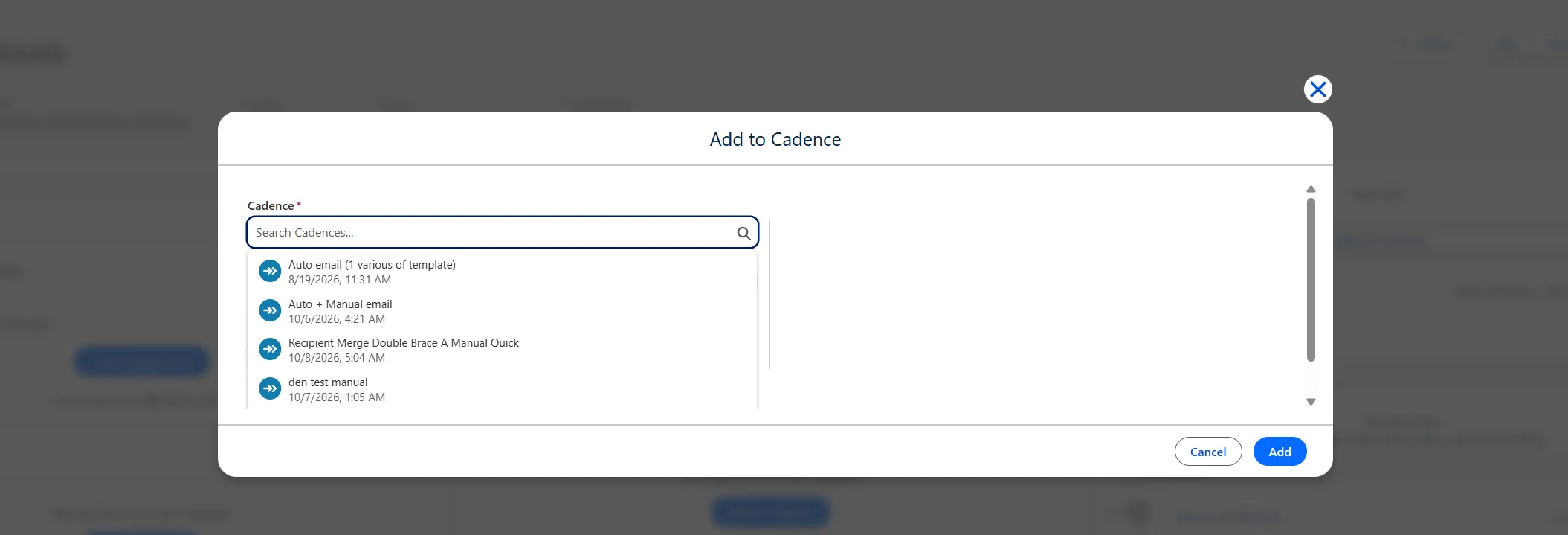
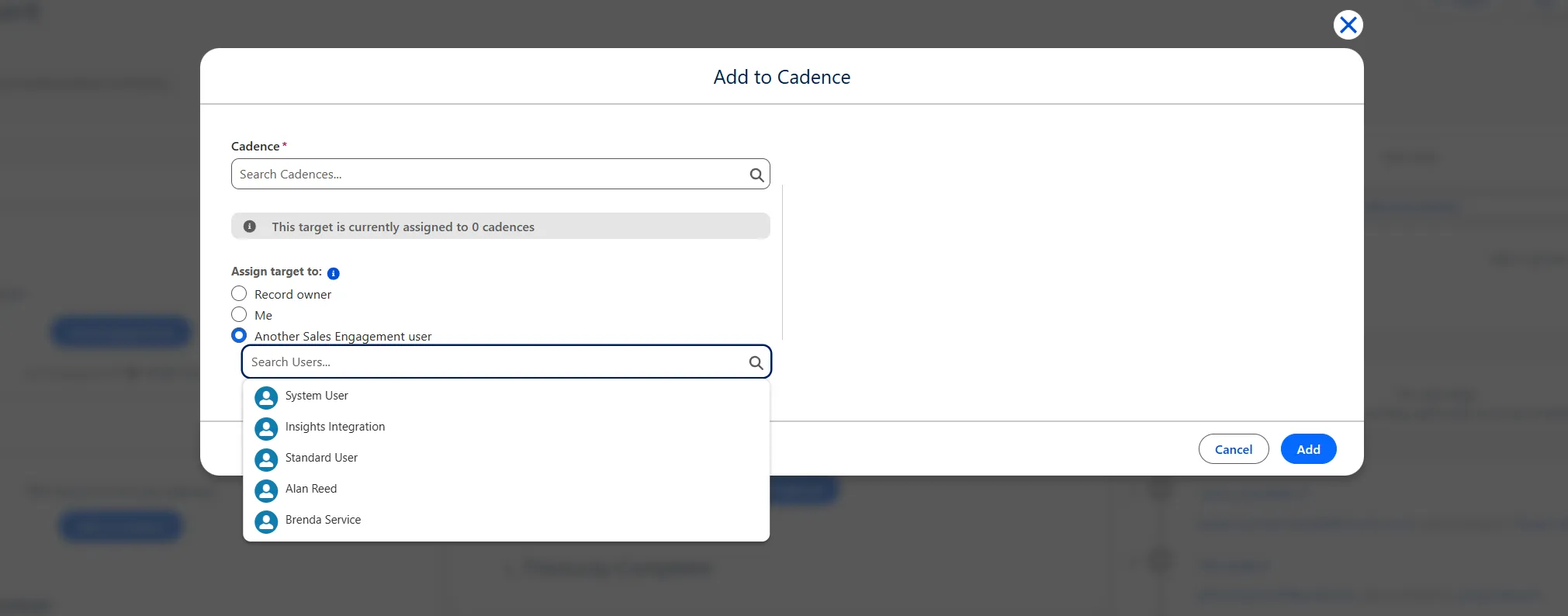
List of available Cadences/Users when focusing on these fields
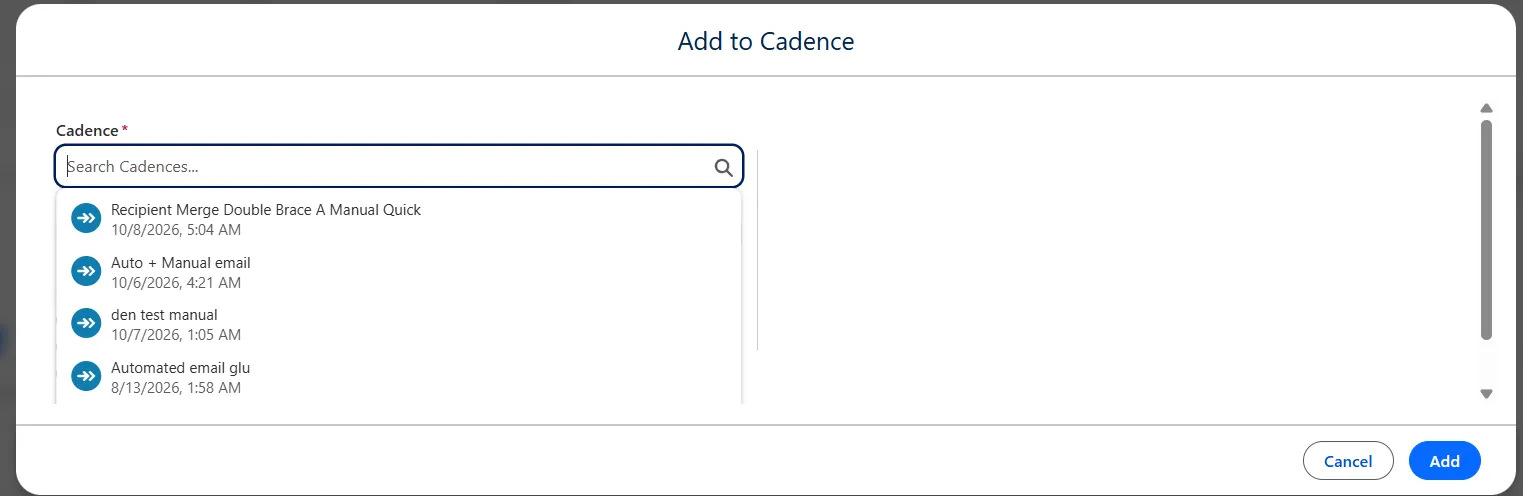
When focusing on the "Cadence" or "Another Sales Engagement user" fields, the native Salesforce component displays the available cadences and users with permissions to work with them. This behavior was missing in the InCountry component, making it harder to find the desired option.
Implemented field focus behavior in the InCountry component so that focusing on the "Cadence" or "Another Sales Engagement user" fields now displays the cadences available for assignment and the users with permissions to work with them.
Users can now quickly view and select from a list of available cadences and assigned users, simplifying interaction with the component and matching native Salesforce behavior.
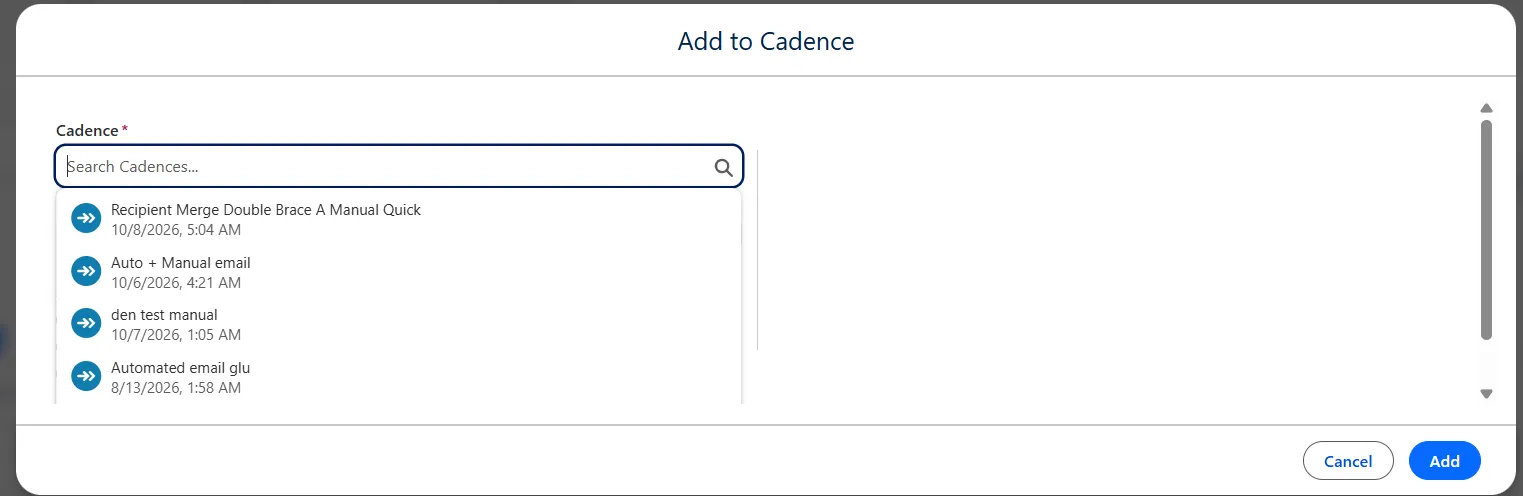
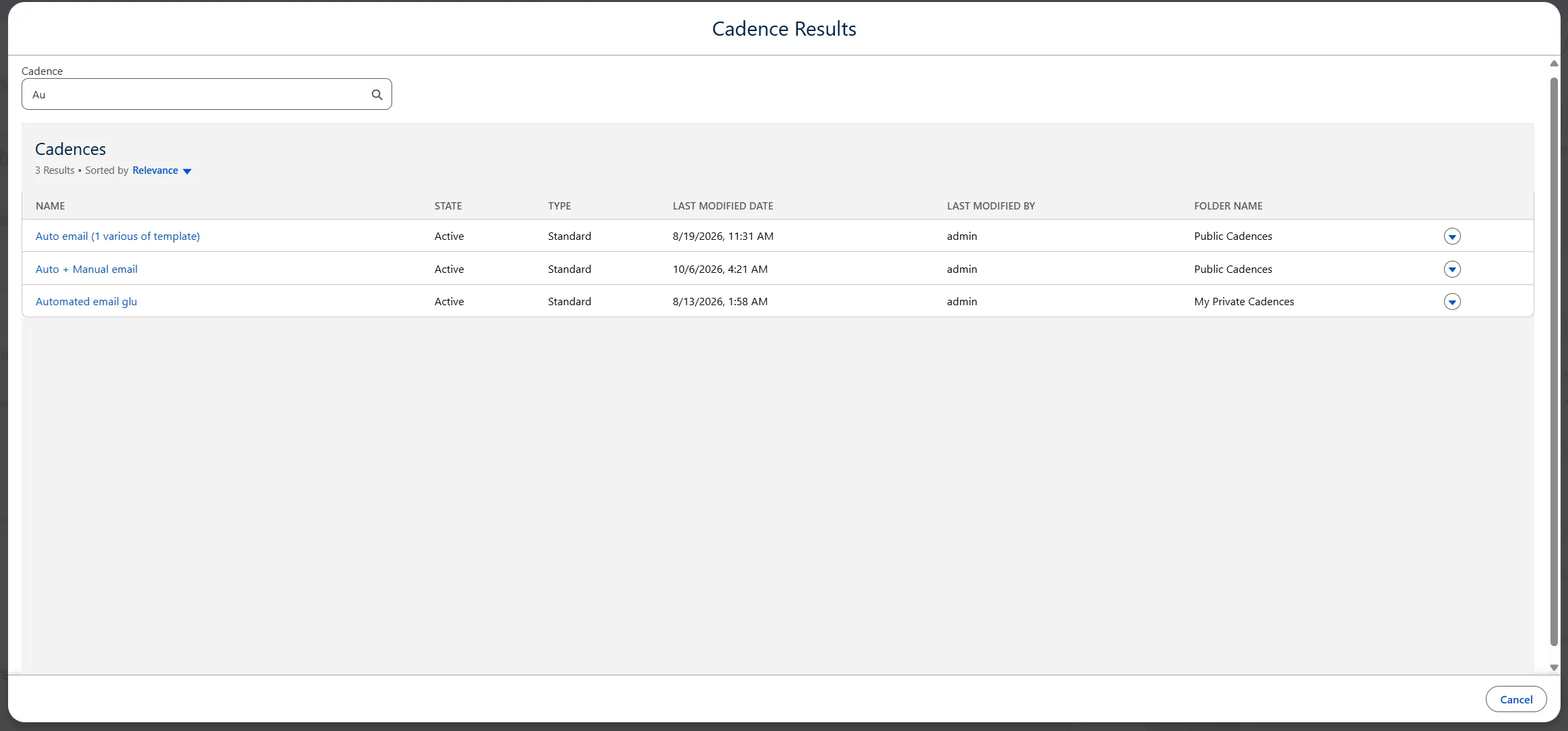
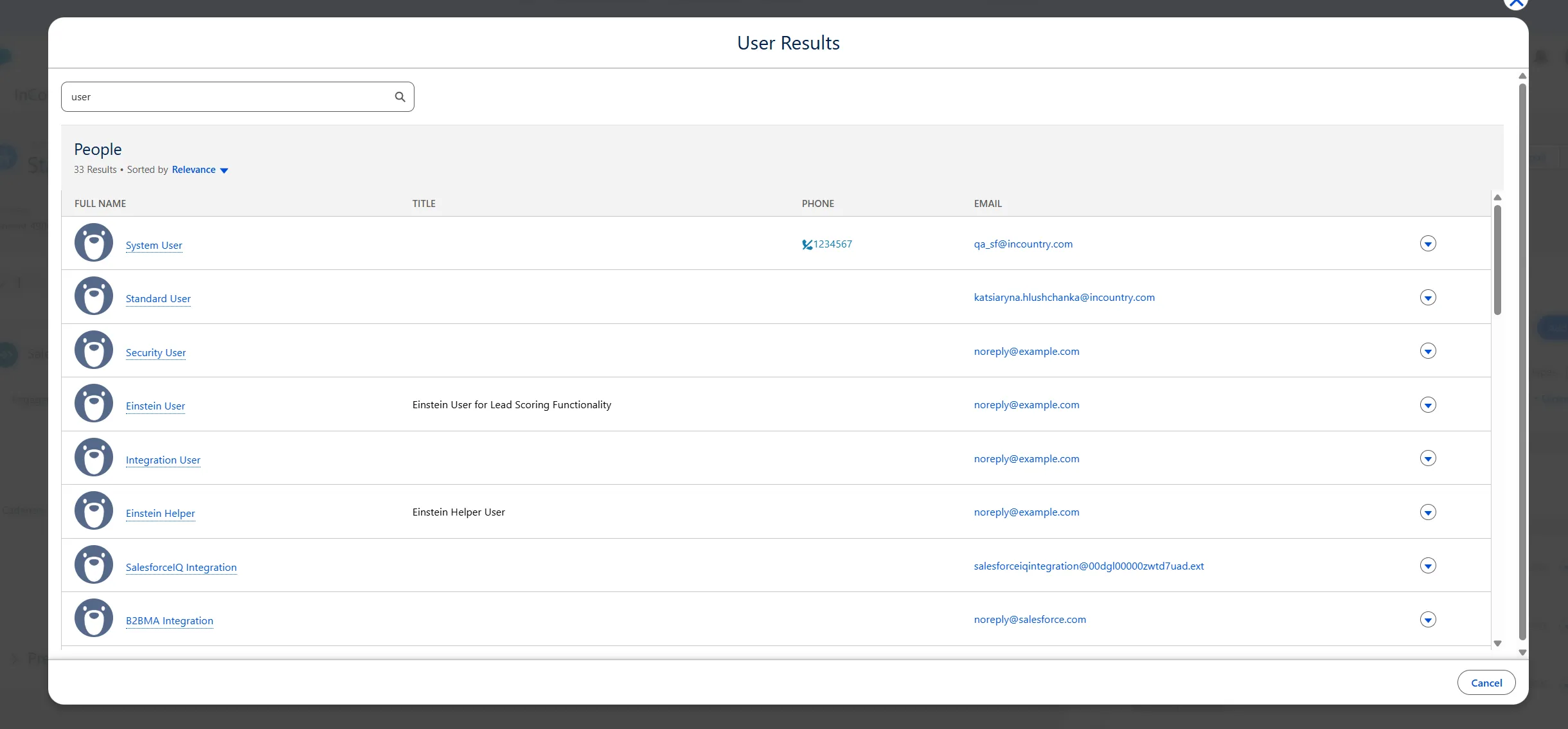
Implement the “User Results” form in the “Assign target to” search
In native Salesforce, users can open a search results window when looking for a user to assign to a target or when selecting a cadence. This functionality was missing in the InCountry component, making it harder to find the right cadence or user during assignment.
Implemented search functionality for cadences and users in the InCountry component. When a user searches for a cadence to add or a user to assign, the same search results popup is now displayed as in native Salesforce.
Users can now search for and find cadences and users directly in the InCountry component, matching the native Salesforce experience.
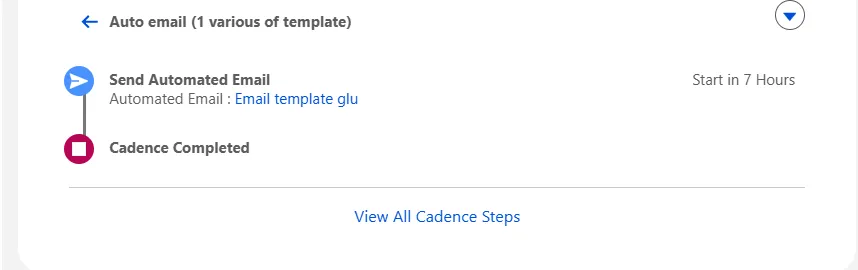
Standardize the display of automated email and call steps with one or more templates
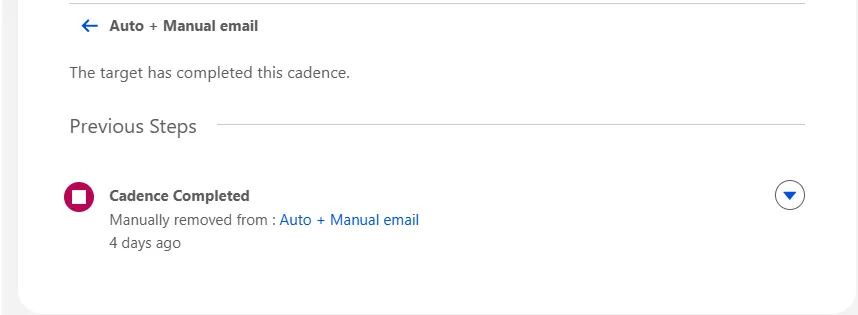
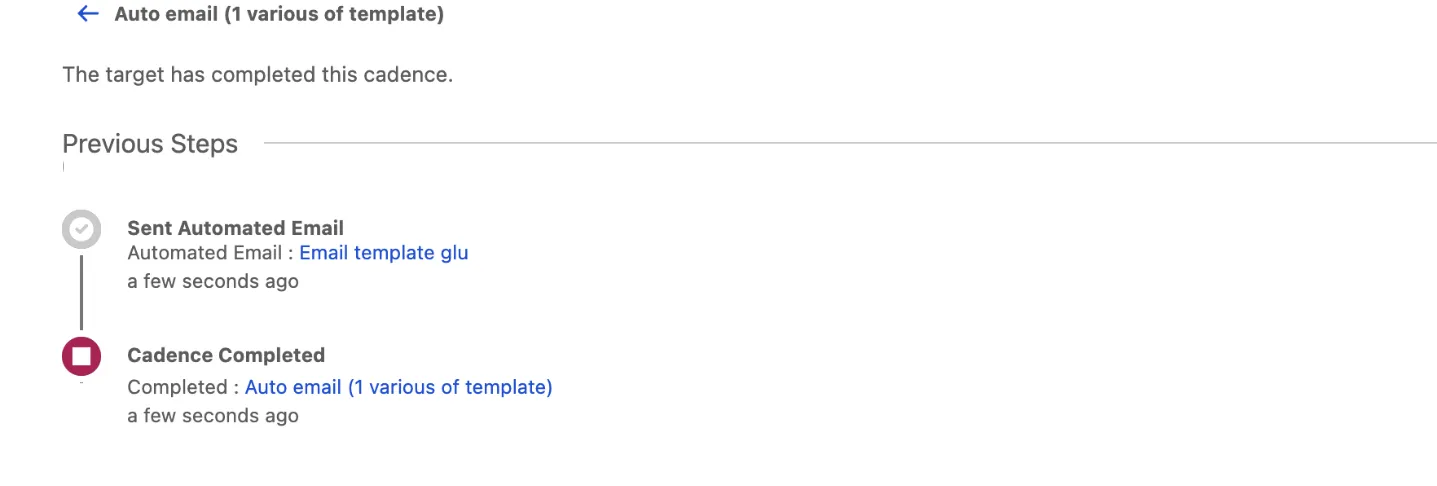
Automated email and call steps with one or more templates were not displaying consistently in the InCountry component. Details such as the selected automatic letter template, completion time, and the name of the completed cadence were missing, and there was no indication when automatic emails had multiple templates or when a template had been removed.
-
Added a note indicating when automatic emails have several templates.

-
Added a note indicating when a template has been removed from automatic emails.
-
Added details for the selected automatic letter template, along with the completion time and name of the completed cadence in the InCountry component.
InCountry cadence component incorrectly denies users with valid Sales Engagement permissions
Expanded the list of cadence permissions in the InCountry component's permission handling so it aligns with standard Salesforce behavior. Users with valid Sales Engagement access can now add Leads to cadences through the InCountry component without being incorrectly blocked.
Prevent hashed Salesforce email addresses from receiving cadence emails when ENABLE\_TARGET\_OBJECT\_FOR\_EMAILS is enabled
Cadence emails no longer send to a hashed Lead or Contact address when target-object association is enabled.
When ENABLE_TARGET_OBJECT_FOR_EMAILS is on, cadence emails still set the Lead or Contact as the Salesforce target object, so Activity and cadence tracking stay in place. For regulated records, that target is no longer treated as an email recipient. Salesforce no longer uses the hashed Email stored on the Lead or Contact as a To address. The message is sent only to the intended recipient, and the Email Gateway unredact tag still resolves the real address.
before
after(without email hash)
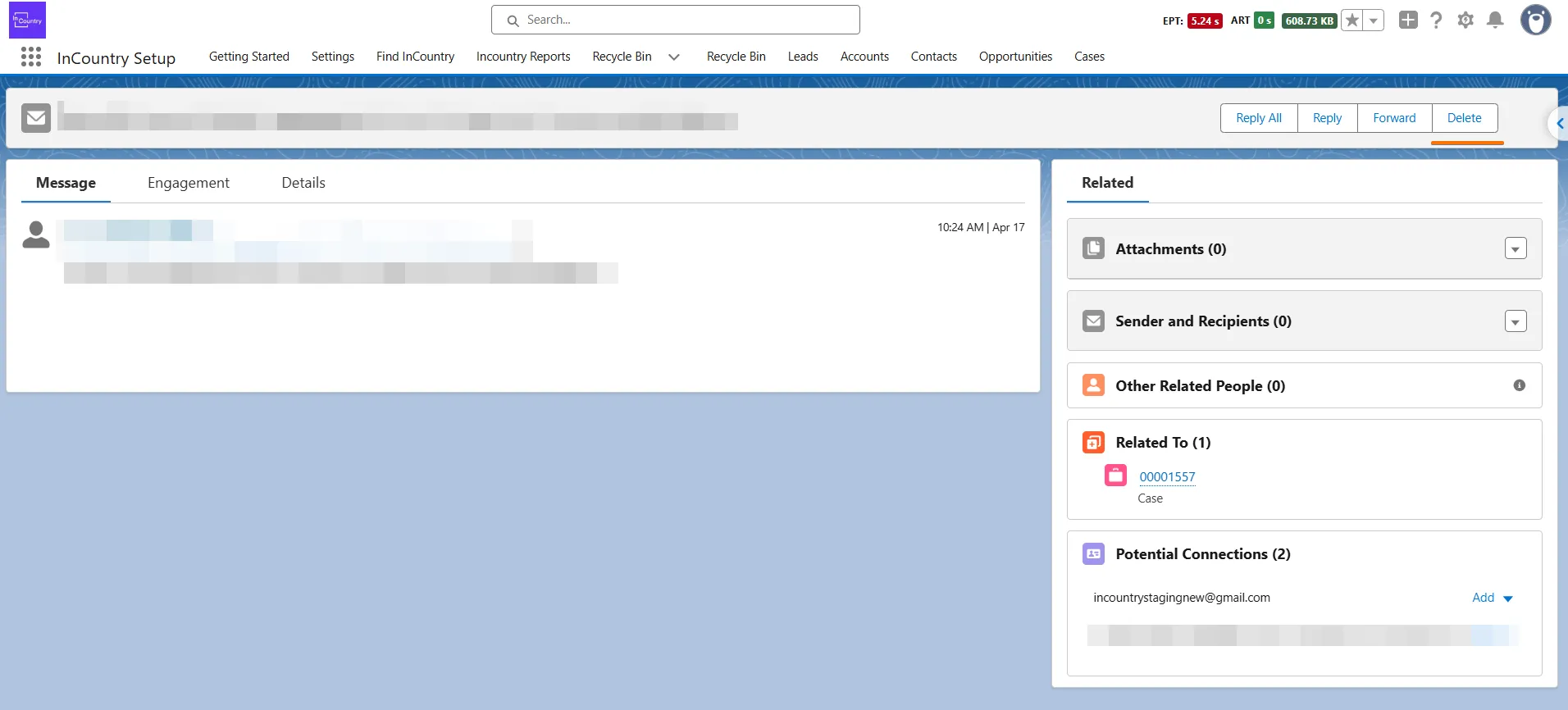
The "Delete" button on the EmailMessage detail page has been restored
Direct Email Sending via Local Domain and Email Receiver Integration
We have added the implementation of sending emails via a local domain, without forwarding emails using Email Relay. This approach allows the recipient to reply to the received email and send it for data redaction to Email Receiver. To enable this option, activate the SENDING_VIA_EMAIL_RECEIVER flag in InCountry Flags.
Restore the Add to Cadence action on List View
On the InCountry List View, the Add to Cadence action was missing from the header, and selecting it from a record’s drop-down menu did nothing. Users could not add Leads or Contacts to a cadence without leaving the list.
Restored the Add to Cadence action on Lead, Contact, and Person Account list views. Clicking Add to Cadence in a record’s drop-down menu now opens the assignment modal. The Add to Cadence button is also displayed in the list view header, so selected records can be added in bulk.
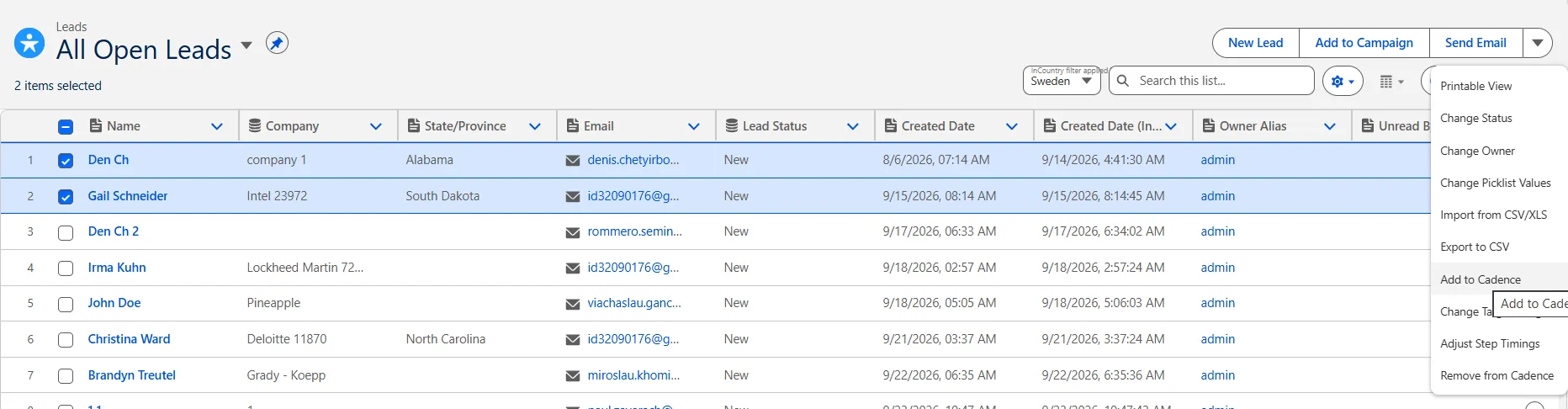
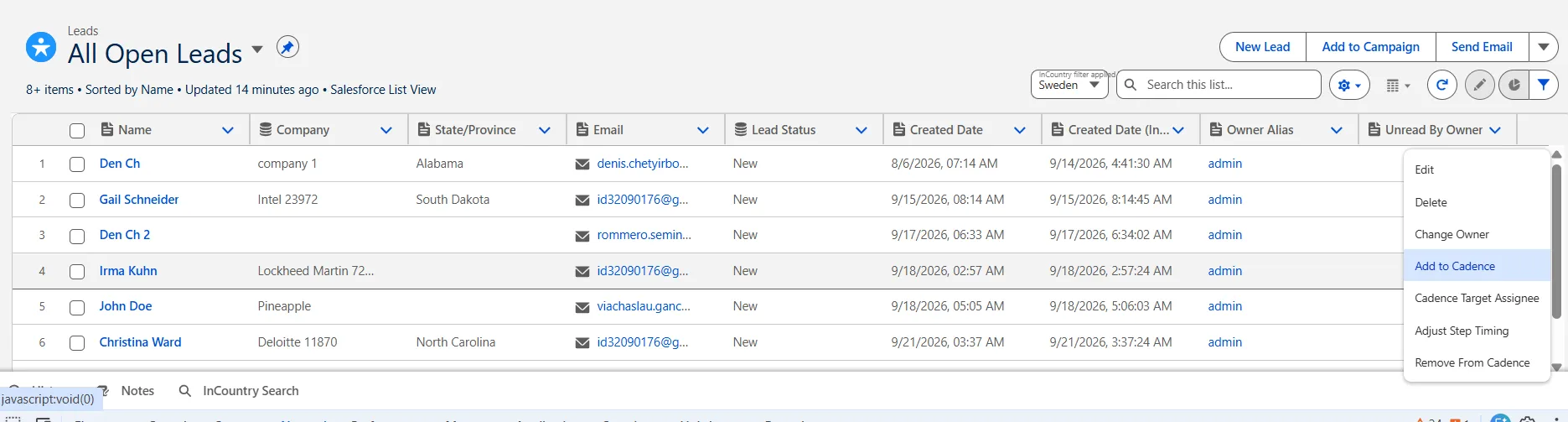
Users can now add records to a cadence directly from the list view, matching native Salesforce behavior.
Cadence timeline shows the correct content for each sent email
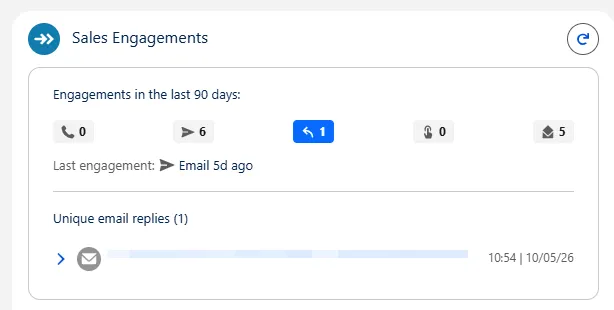
Each new manual Cadence email now appears as its own timeline item with a readable Subject and Body. Earlier emails keep their original content when another message is sent to the same person.
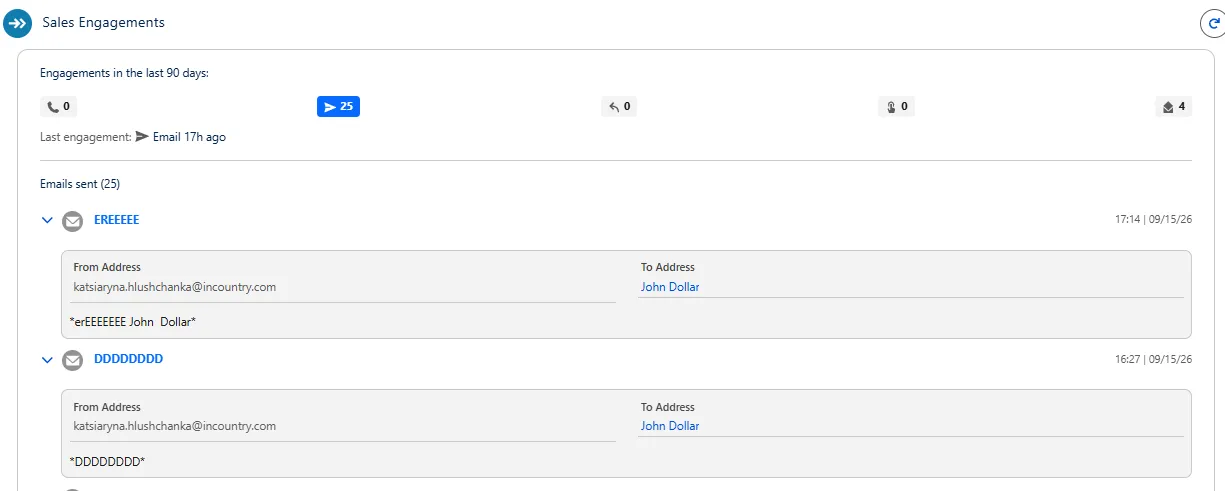
Users can now read the emails they send from Cadence and rely on the timeline for regulated records.
Email history is retained in InCountry Activities and Related List for Lead
The InCountry Activities component did not keep email correspondence history for Lead. The same gap applied to InCountry Related List Single. Users could not review sent emails on prospect records, and the timeline did not follow the native Salesforce layout.
InCountry Activities Email and list email history is now stored and shown on Lead, with the same section order as the native timeline: Upcoming & Overdue, then grouped by month.
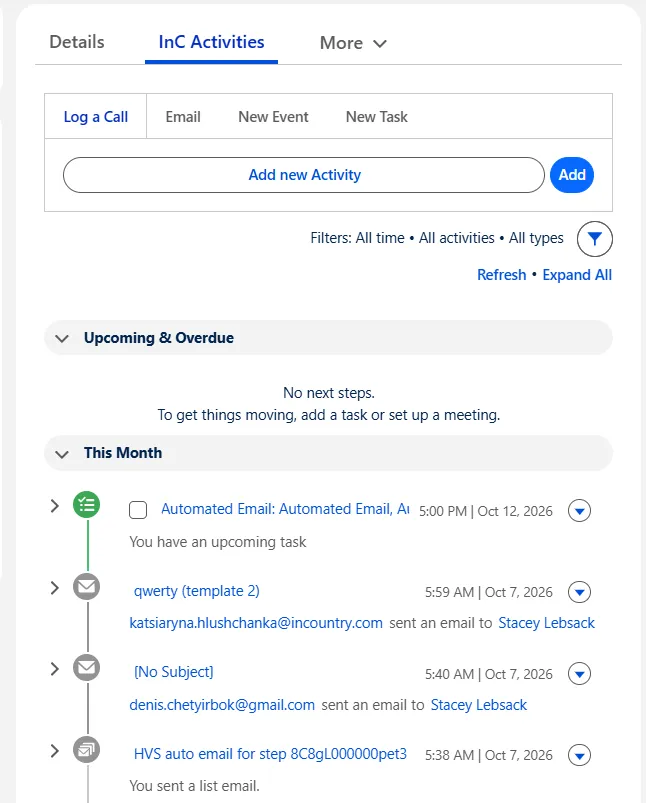
Opening an email in the timeline shows the actual values: sender address, recipient name and address, subject, and body. Merge fields in the message are resolved to real values. The native Salesforce Activities component continues to show hashed values for regulated records.
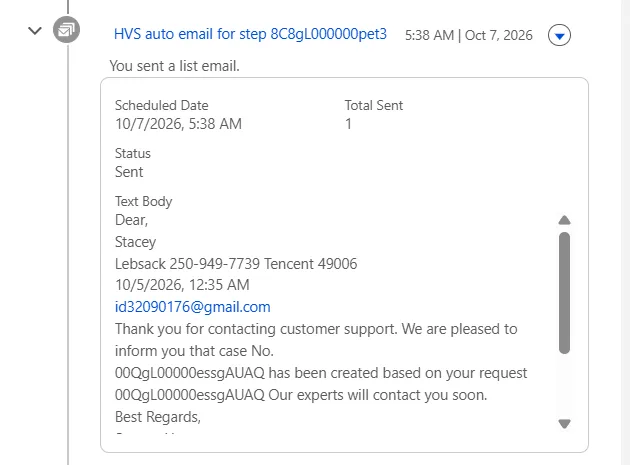
List emails display Scheduled Date, Total Sent, Status, and the message body. Single emails show From, To, and the readable body. Timeline rows include hover and row actions, and the component loads and refreshes with a skeleton and spinner, including when there are no records yet.
InCountry Related List Email correspondence history is also available for prospect records in the associated InCountry related list.
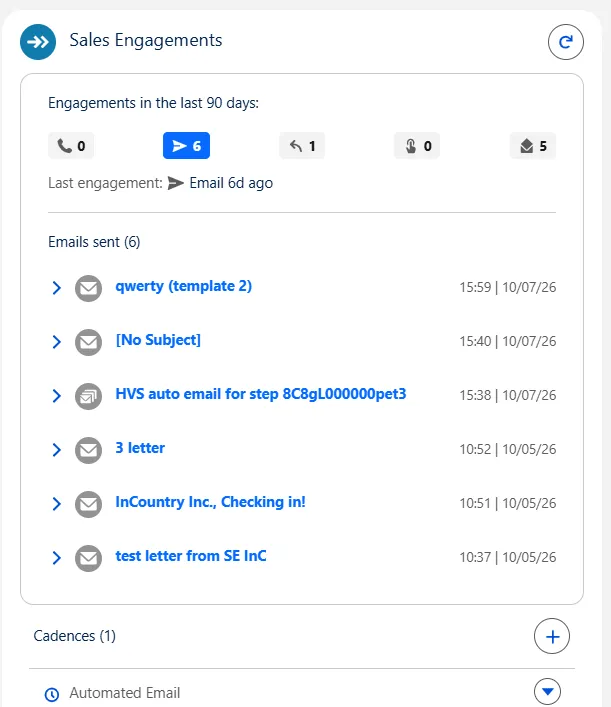
Cadence timeline List email merge fields are resolved in the cadence timeline as well, so the opened message shows the same readable content.
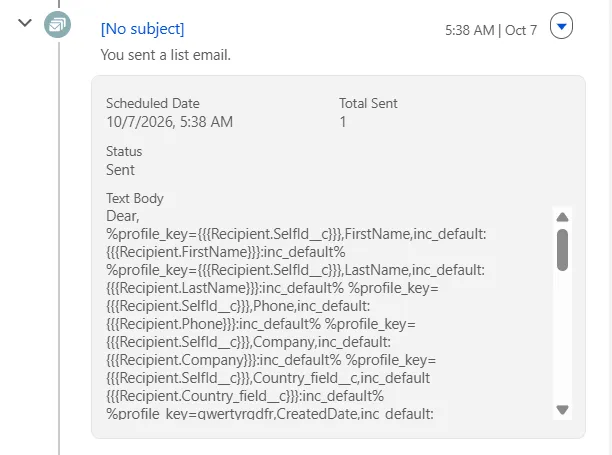
Users can now review email history on Lead from InCountry Activities and the related list, with readable details in InCountry and hashed values in the native component.
Add two-column layout support for InCountry Dynamic Form Section
Admins can now enable the Two Columns option on an InCountry Dynamic Form Section in Lightning App Builder. Fields in that section are displayed in two columns, follow Display Order from left to right and top to bottom, and stay in the same accordion.
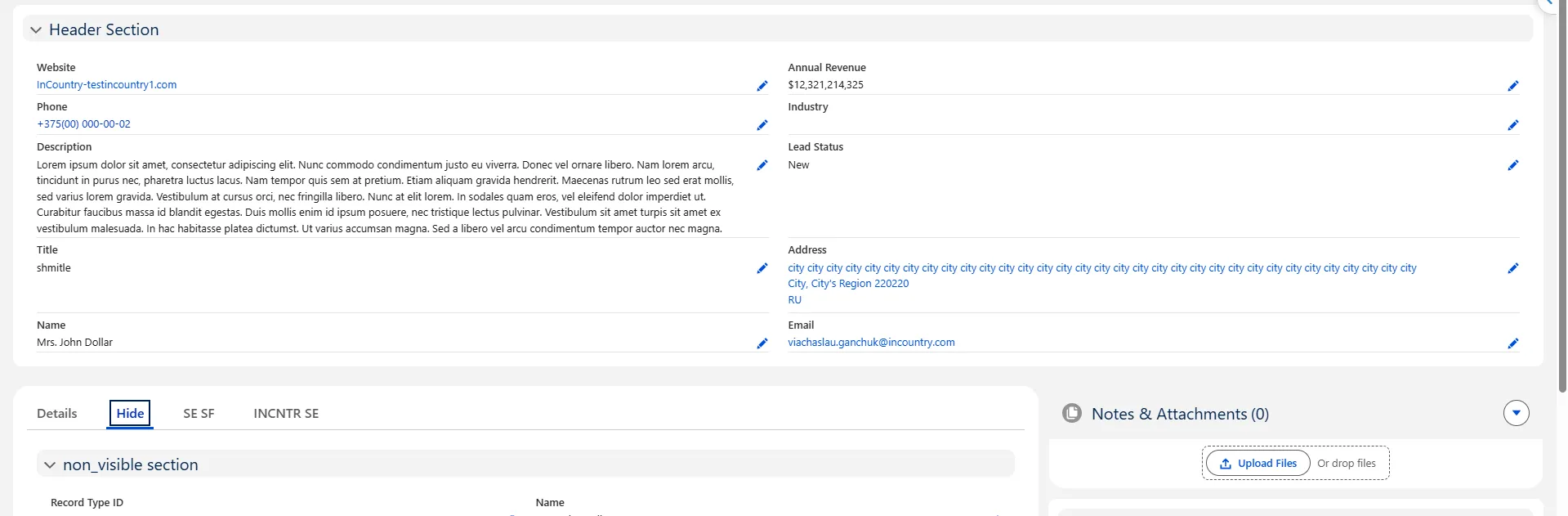
Customers can configure InCountry Dynamic Forms with a one- or two-column section layout without splitting the form into extra sections.