Tutorial
Step-by-Step Setup
This tutorial walks you through creating an AgentCloak service, setting up the MCP Server, and testing it using the MCP Inspector.
-
Create an AgentCloak service
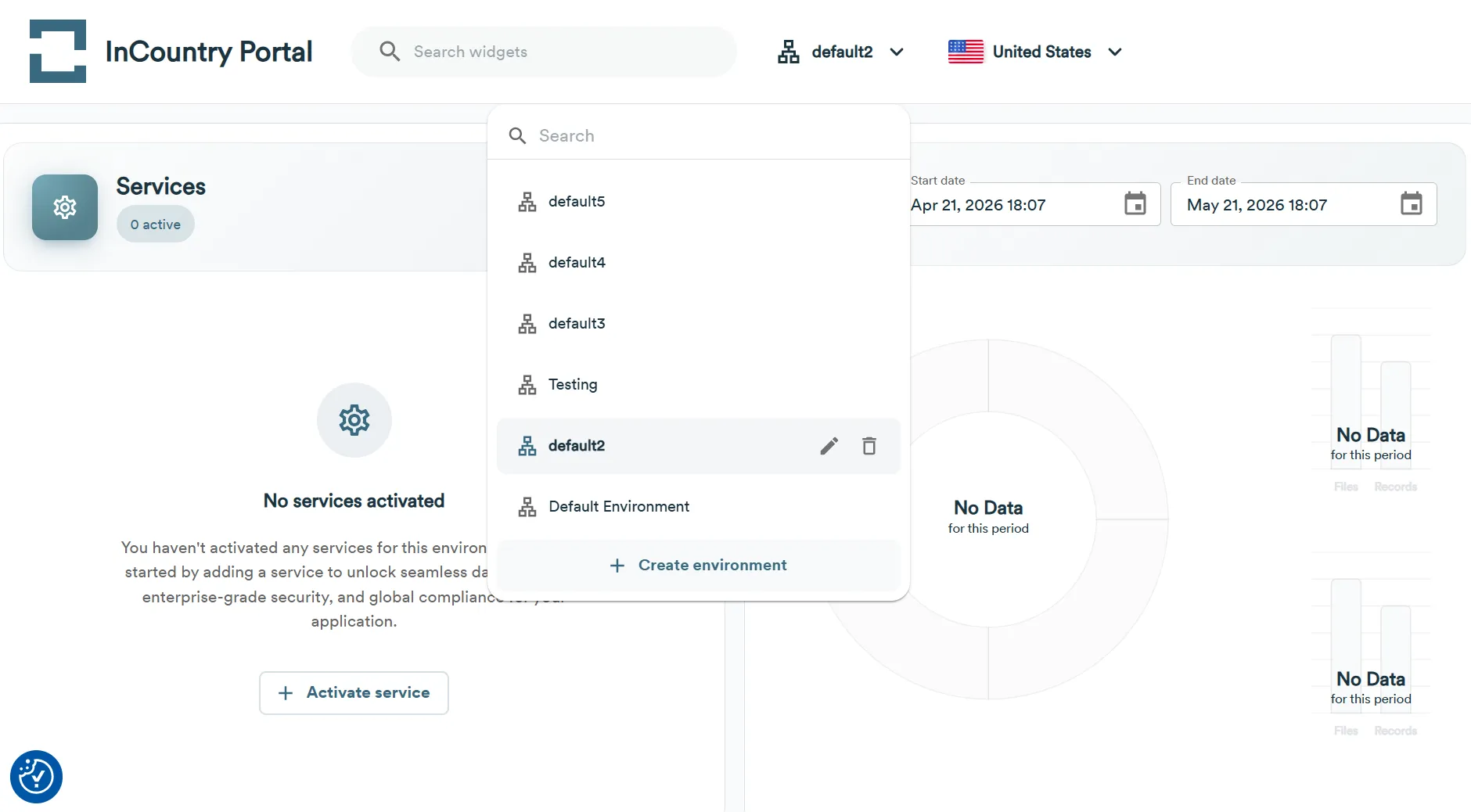
- At the top of the home page, select the environment where you want to create an AgentCloak service.

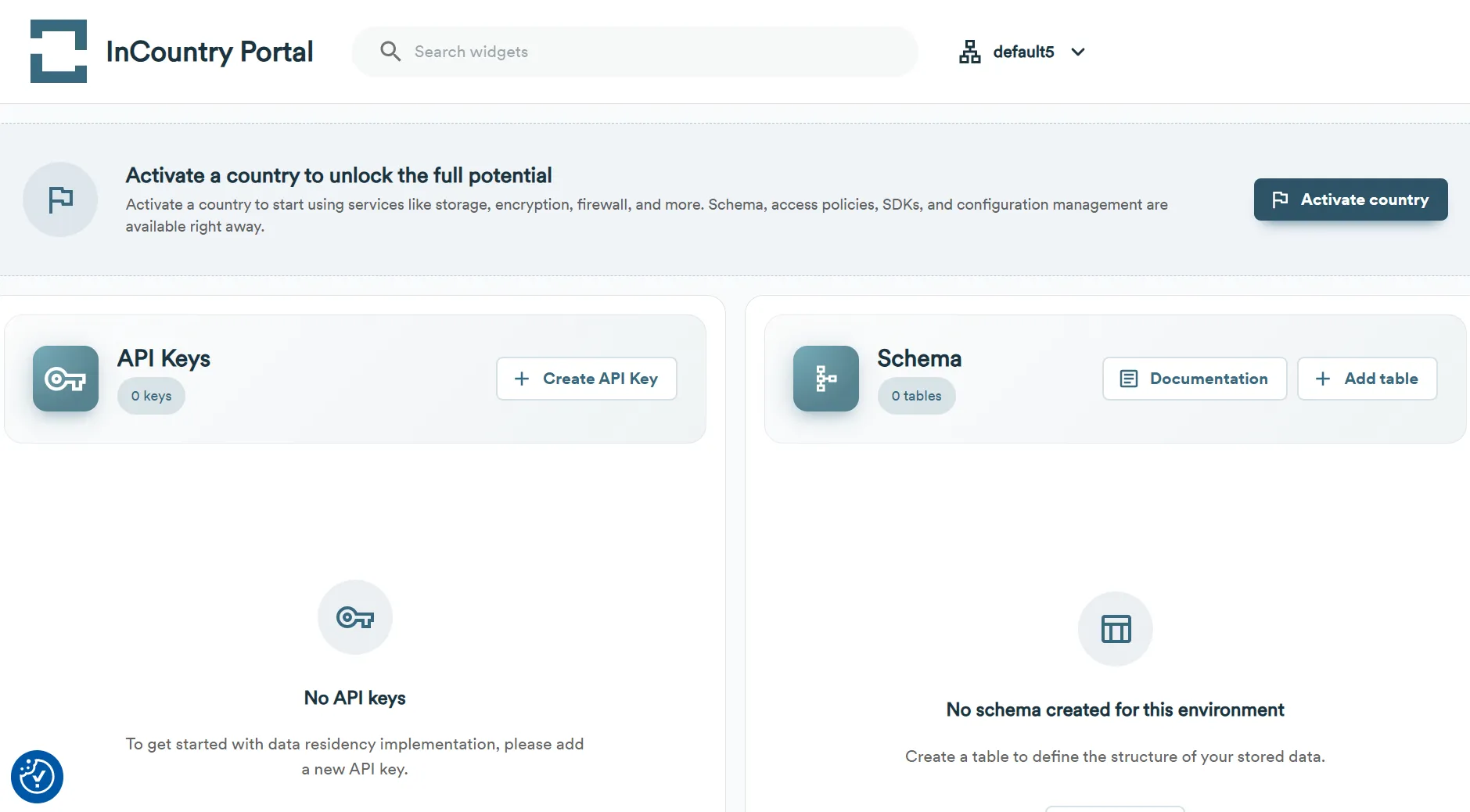
- On the home page, click the Activate country button.
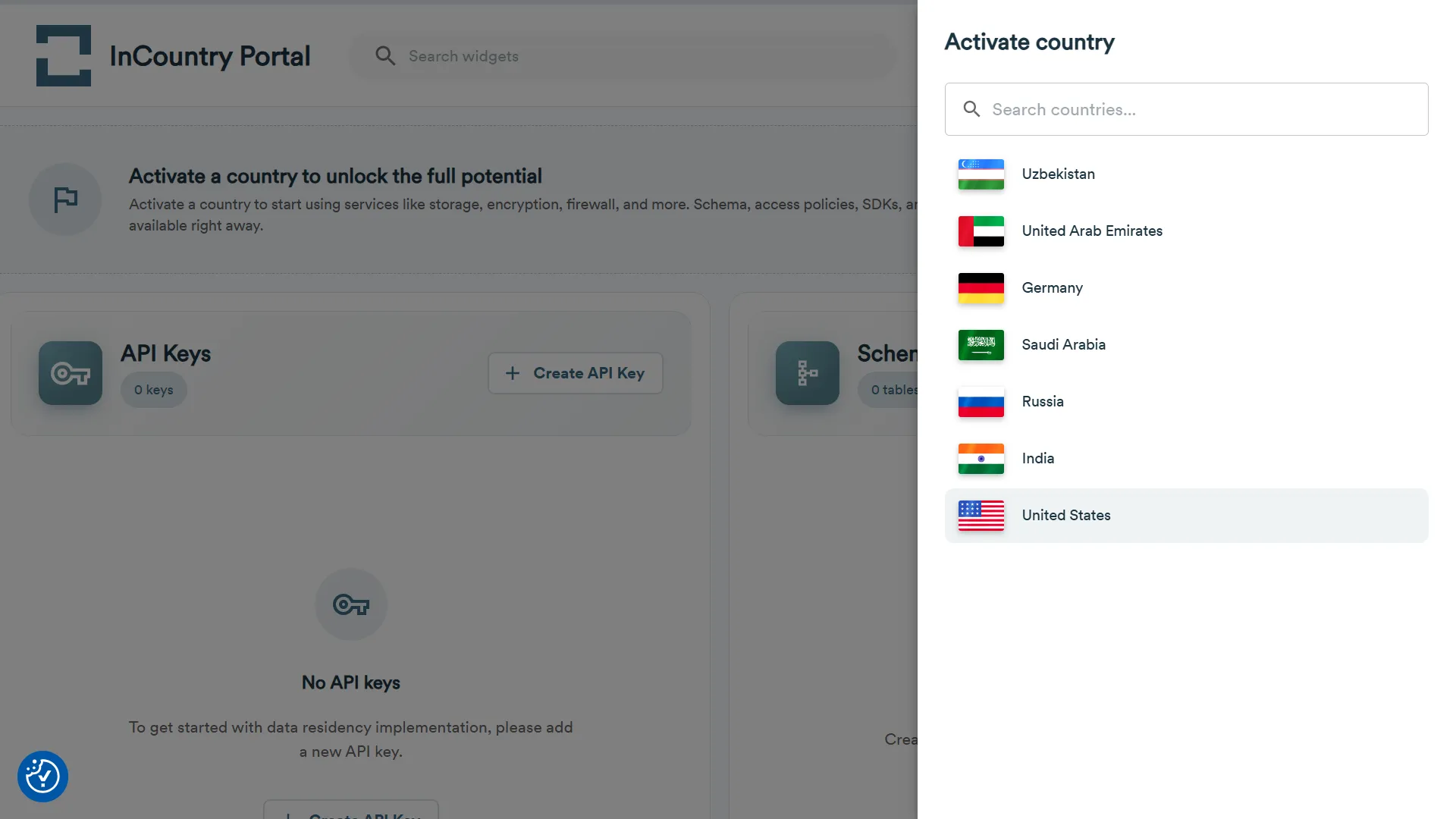
- On the Activate country page, select the country where you want to manage data.
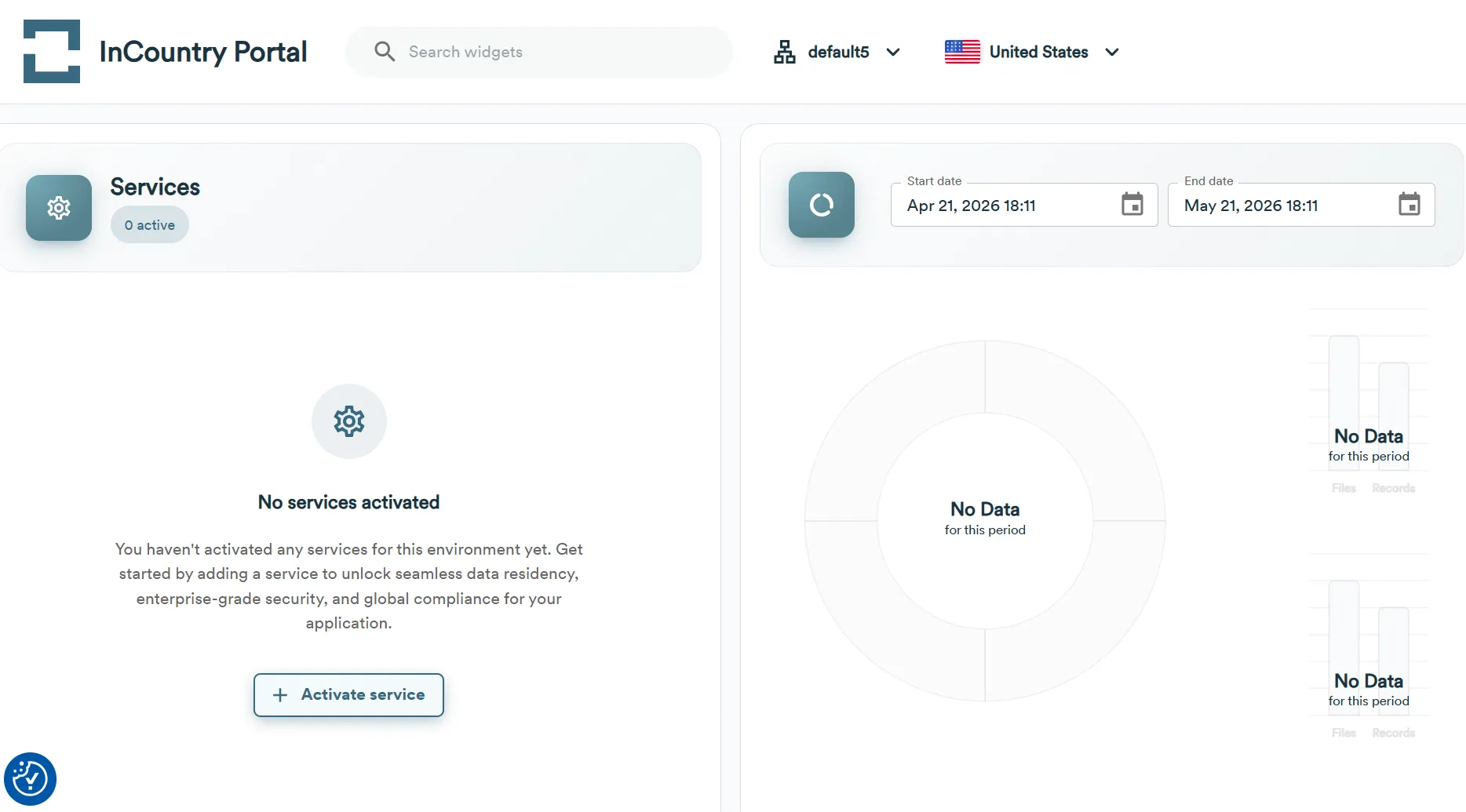
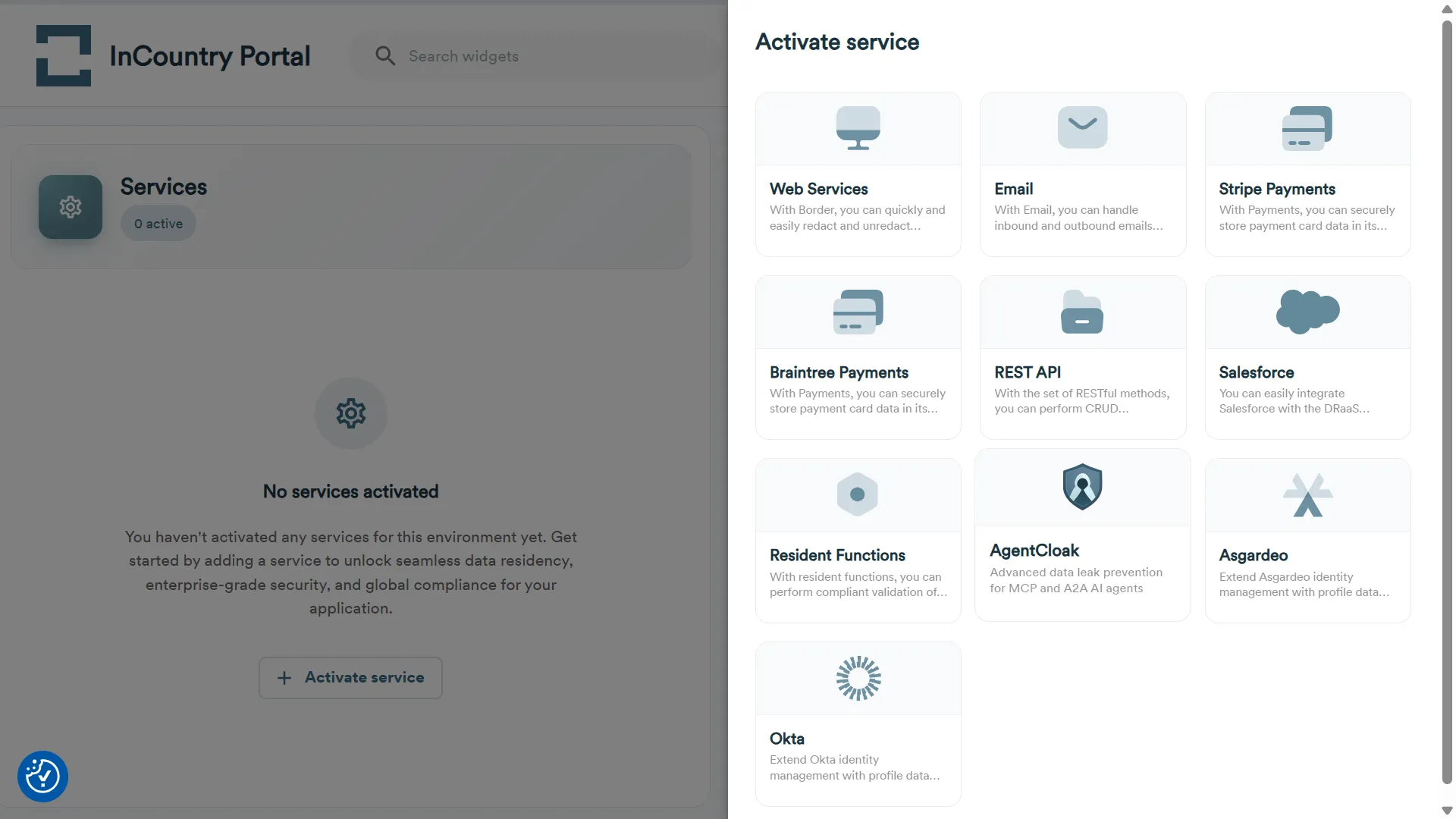
- In the Services section, click the Activate Service button.
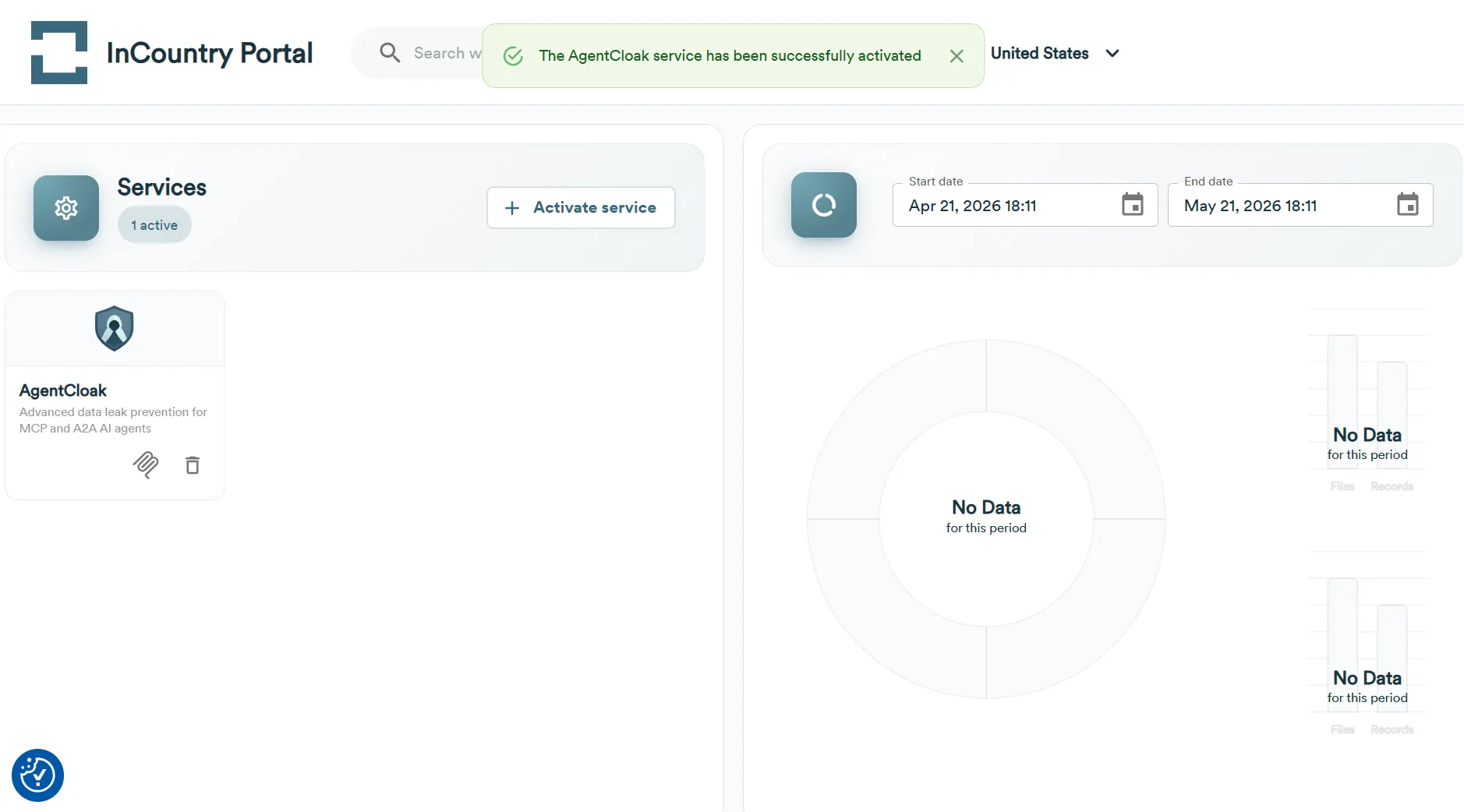
- On the Activate Service page, select the AgentClock service.
- At the top of the home page, select the environment where you want to create an AgentCloak service.
-
Create the MCP Server
-
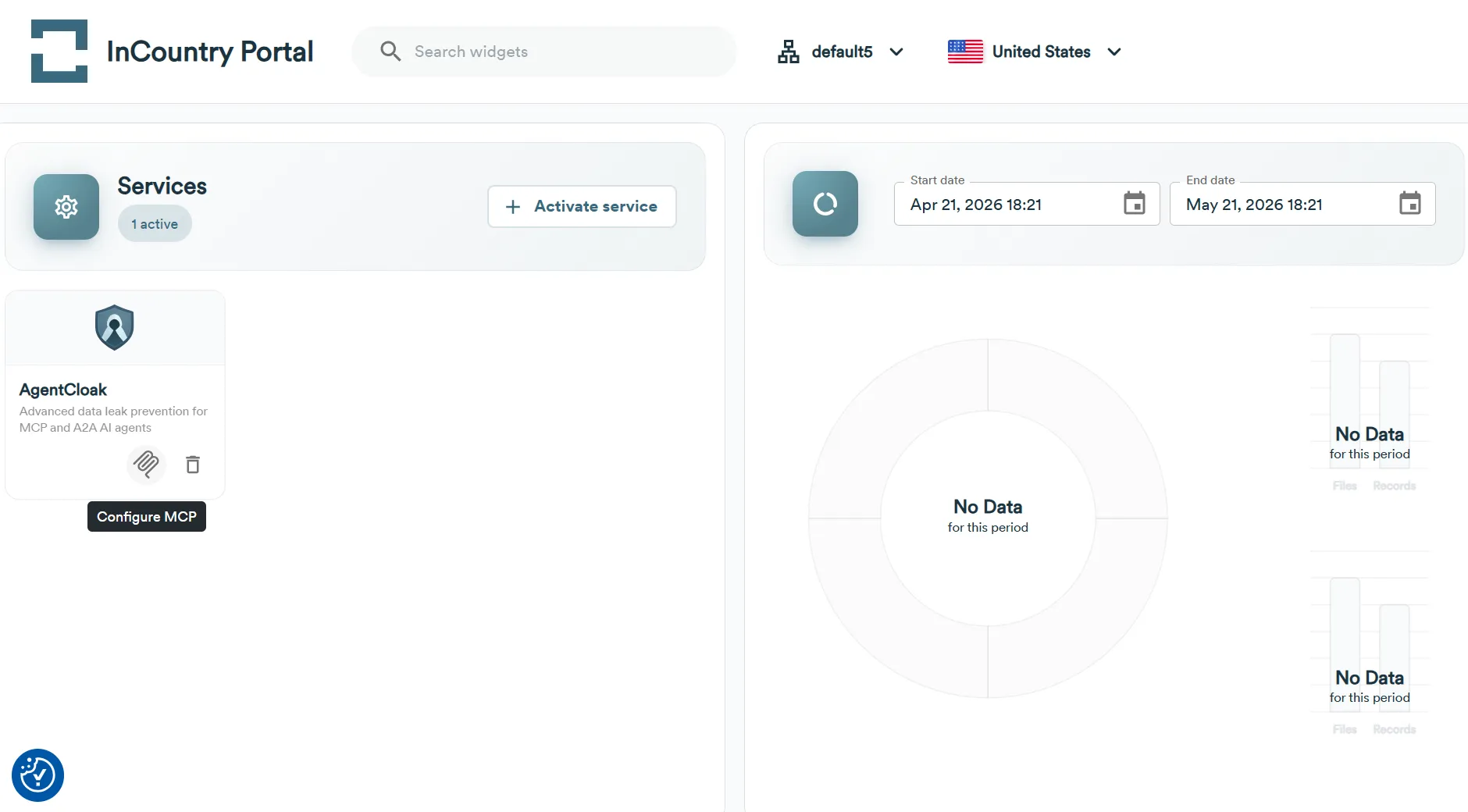
In the Services section, click the Configure MCP icon.
-
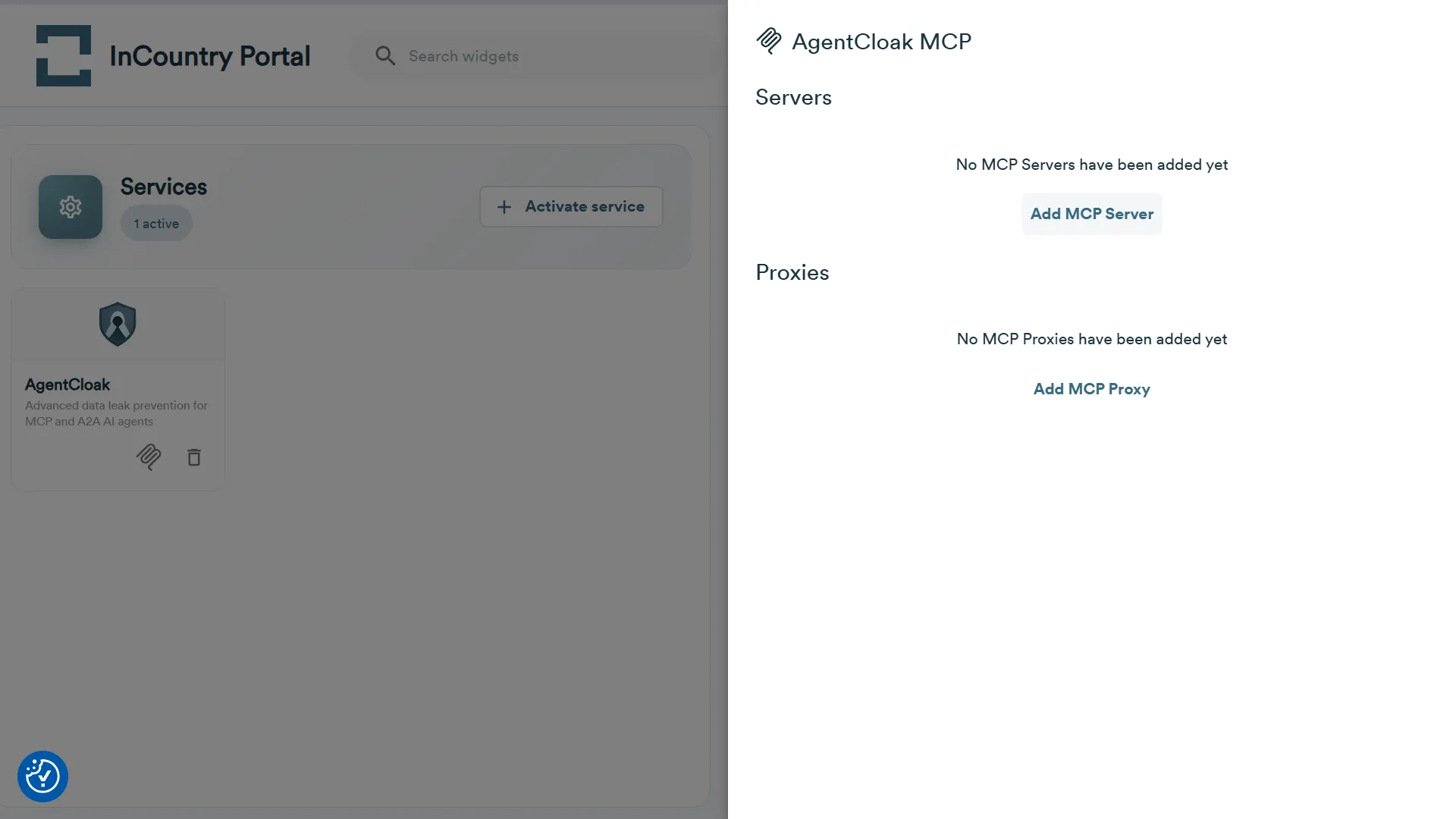
On the the AgentClock MCP page, click Add MCP Server.
-
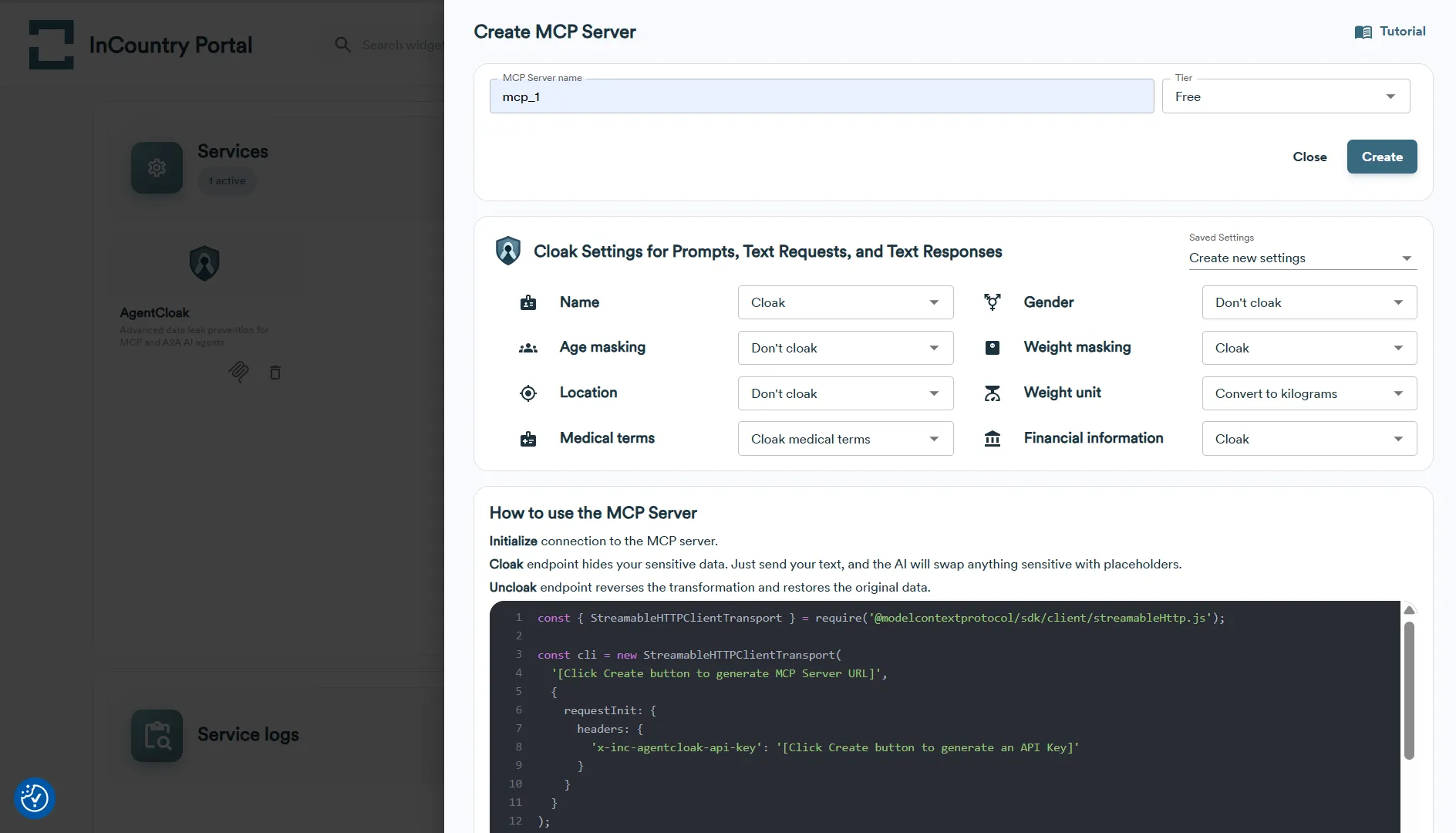
In the Create MCP Server form, enter the MCP Server name and select the Cloak Settings for Prompts, Text Requests, and Text Responses:
Data Category Cloak Options Description Name - Cloak
- Don’t cloakCloak: Replaces names with placeholders (e.g., {{NAME}}).
Don’t cloak: Leaves names unchanged.Age - Don’t cloak
- Age categories
- Age brackets
- CloakDon’t cloak: Leaves age as-is.
Age categories: Converts to general groups like "child", "adult", "senior".
Age brackets: Converts to ranges (e.g., "20–29").
Cloak: Fully replaces age with a placeholder.Location - Don’t cloak
- Cloak to city
- Cloak to country
- Cloak to region
- CloakDon’t cloak: No changes to location.
Cloak to city/country/region: Generalizes location to specified level.
Cloak: Fully removes or replaces all location data with a placeholder.Medical Terms - Don’t cloak
- Generalize medical terms
- Cloak medical terms
- CloakDon’t cloak: No changes.
Generalize medical terms: Replaces specific conditions (e.g., “Type 1 Diabetes”) with broader terms (e.g., “chronic illness”).
Cloak medical terms: Replaces medical terms with placeholders.
Cloak: Same as above; full anonymization.Gender - Don’t cloak
- CloakCloak: Replaces gender references with neutral placeholders (e.g., male,female).
Don’t cloak: No changes.Weight Masking - Don’t cloak
- Weight brackets
- CloakDon’t cloak: Keeps weight as-is.
Weight brackets: Groups into ranges (e.g., “150–160 lbs”).
Cloak: Replaces with a placeholder.Weight Unit - Don’t cloak
- Convert to pounds
- Convert to kilogramsDon’t cloak: Leaves units unchanged.
Convert to pounds/kilograms: Standardizes all weights into selected unit.Financial Information - Don’t cloak
- Cloak amounts and account numbers
- CloakDon’t cloak: Leaves financial data intact.
Cloak amounts and account numbers: Masks sensitive parts like dollar amounts and account numbers (e.g.,$####,****1234).
Cloak: Fully replaces financial information with placeholders. -
Click the Create button.
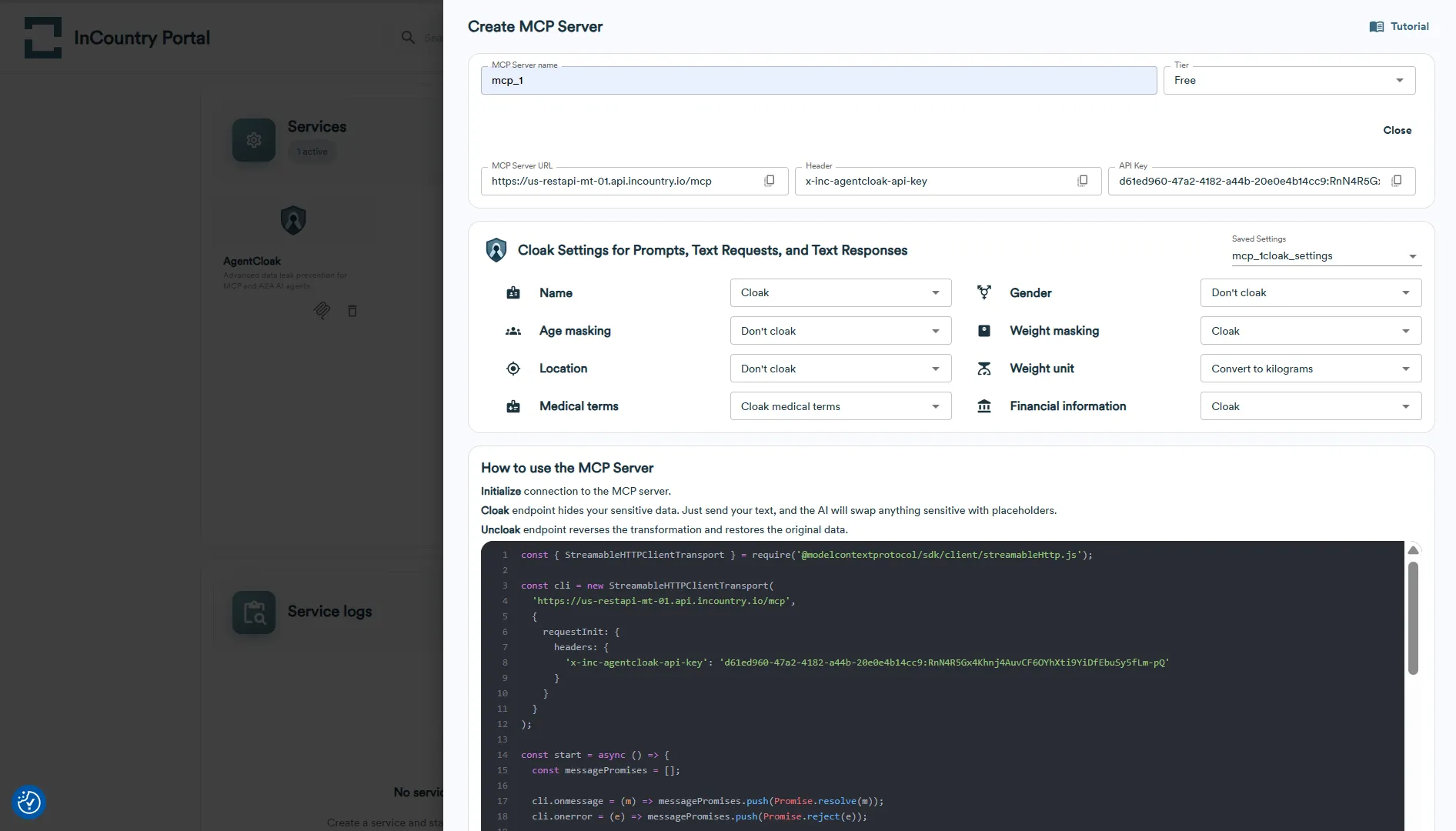
noteMake sure to copy the API key immediately after creating the MCP Server, as it will not be accessible later. Once you leave the creation screen, the key cannot be retrieved, and you'll need to generate a new one if it's lost.
-
-
Test the MCP Server using the MCP Inspector
- On the Create MCP Server page, copy the API key, the MCP Server URL and the header name.
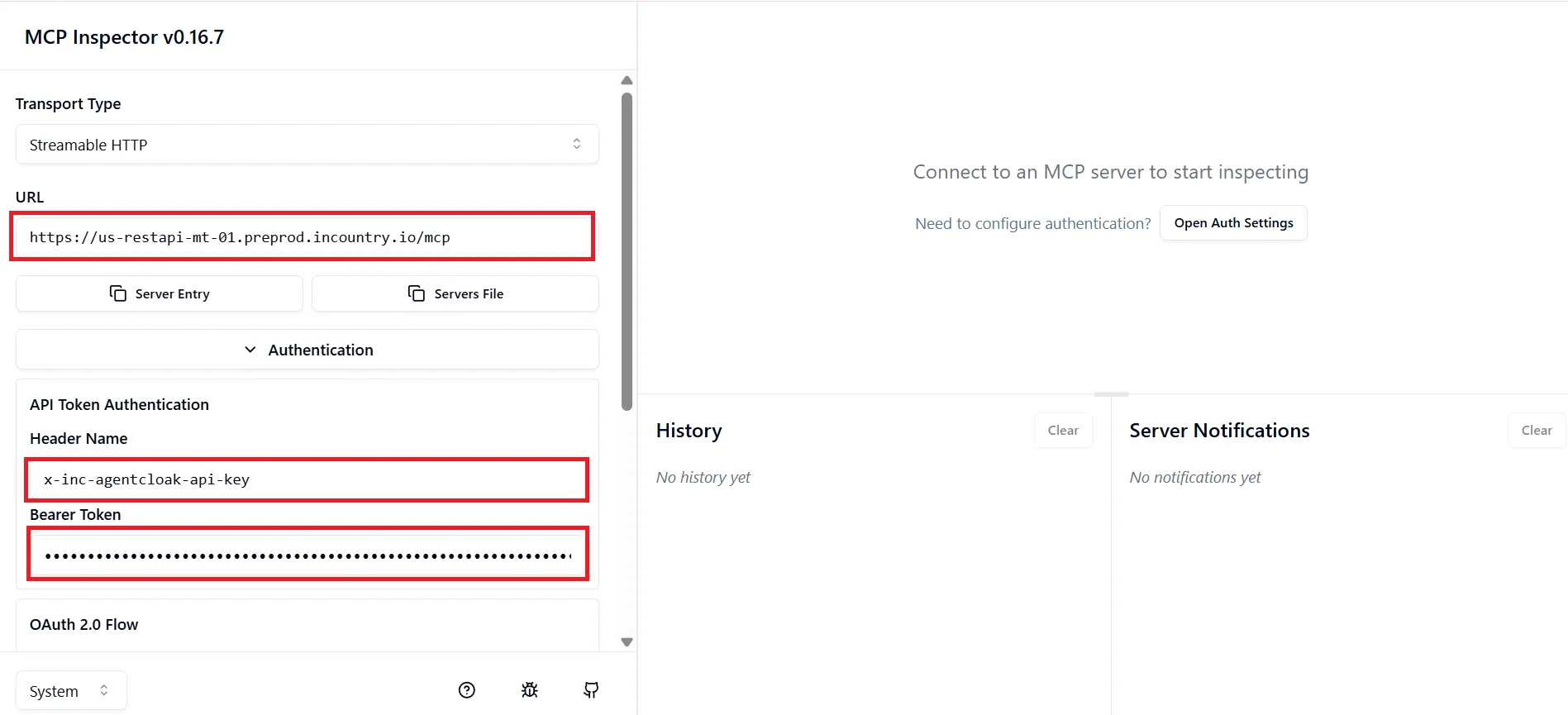
- Open the MCP Inspector tool.
- Paste the MCP Server URL, the header name and the API Key, then click Connect.
- Under List Tools, do the following:
- On the Create MCP Server page, copy the API key, the MCP Server URL and the header name.
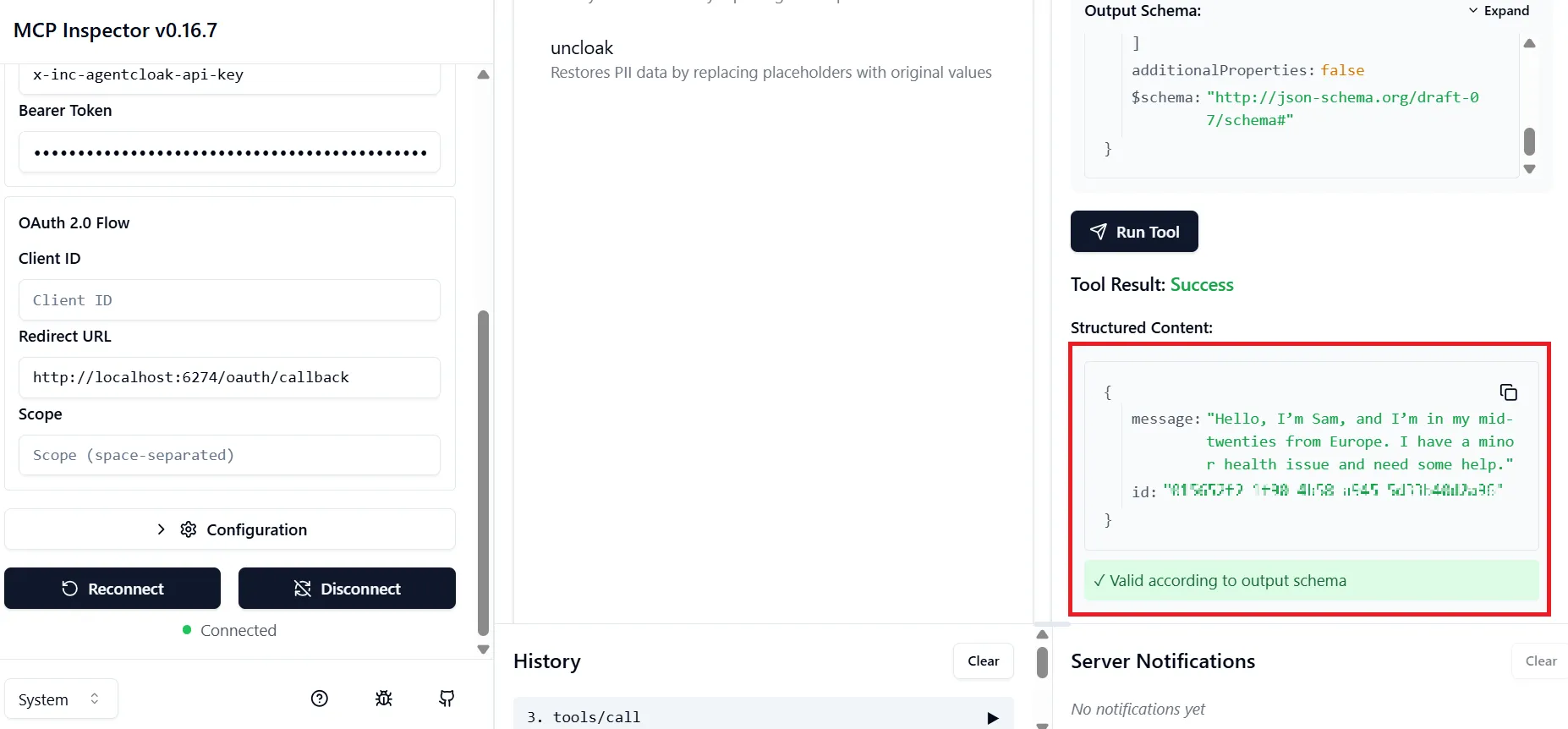
Cloak Test
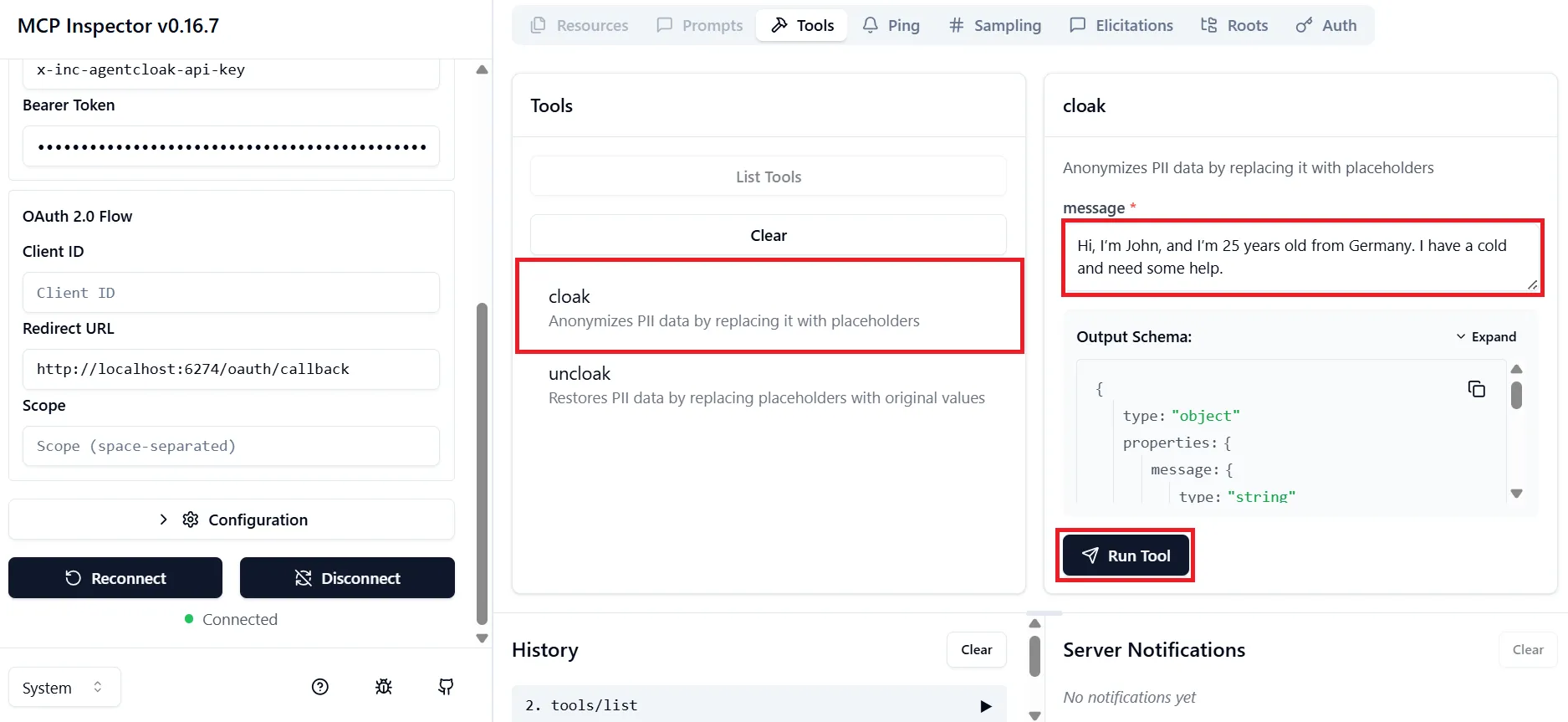
- Select the cloak tool.
- Enter a test message containing PII (e.g., name, age, location).
- Click Run Tool.
✅ Result: PII data is replaced with anonymized placeholders.
Uncloak Test (Restore Data)
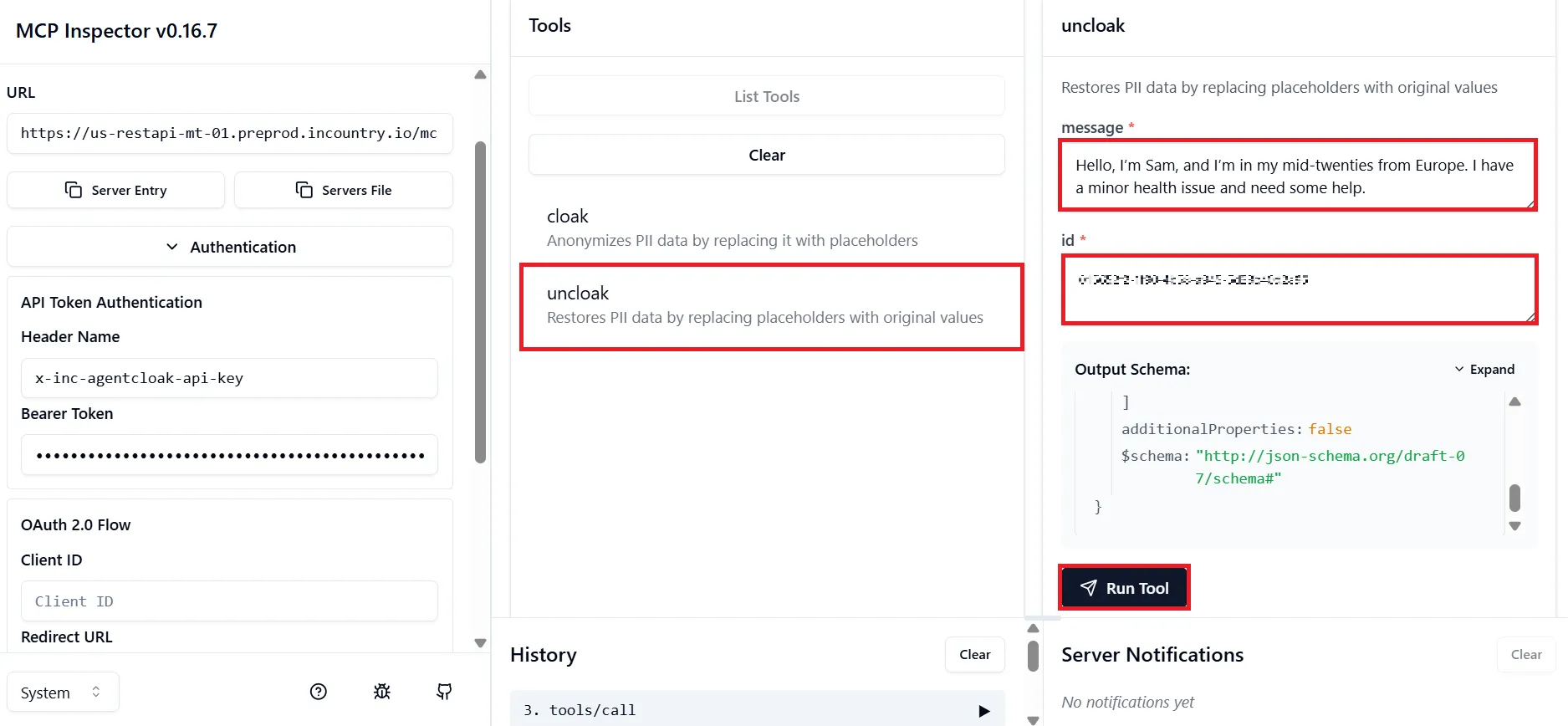
- Copy the ID and the cloaked message from the result of the cloak test.
- Select the uncloak tool.
- Paste the ID and the cloaked message you previously copied.
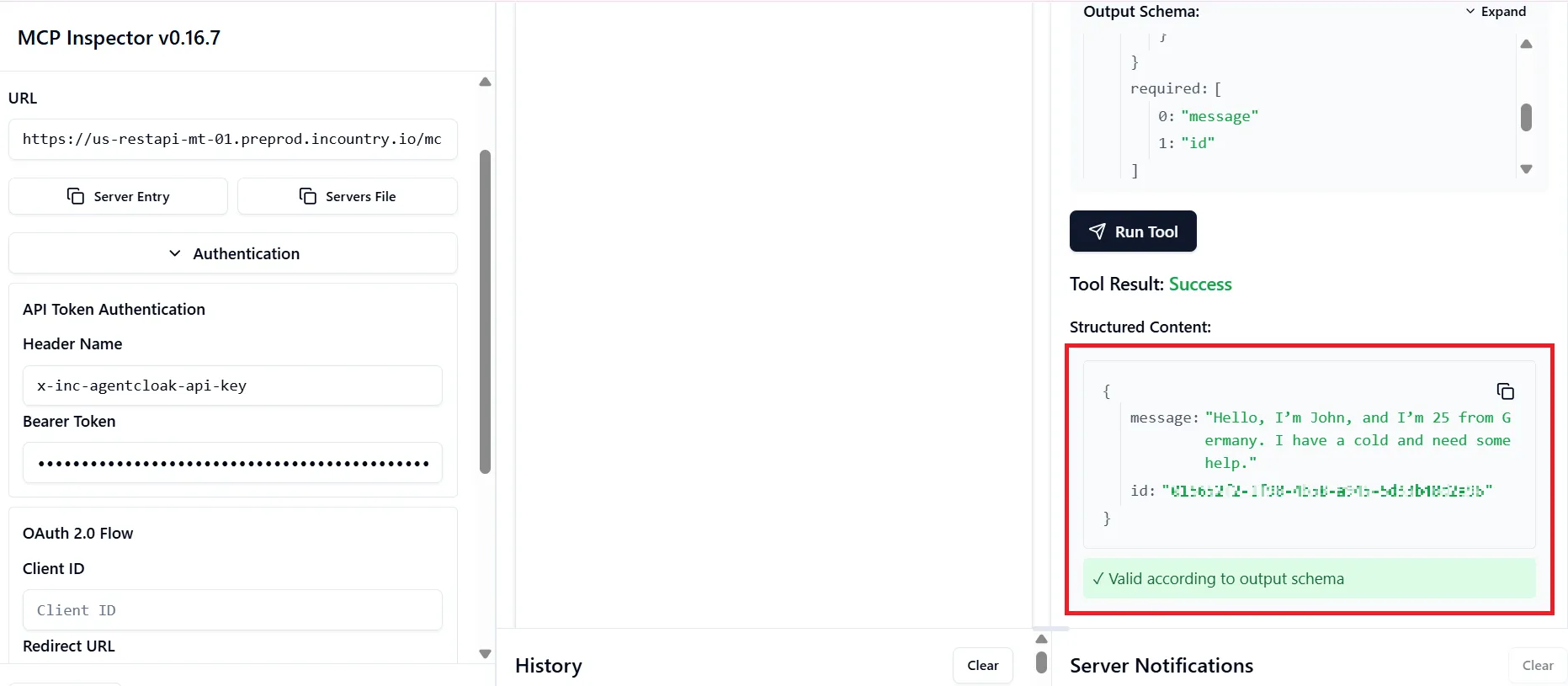
- Click Run Tool.
AgentCloak MCP Server — Technical Reference
Cloak Settings
A Cloak Settings record defines how each PII field type is anonymized. It is environment-scoped and can be reused across multiple MCP Servers.
A single Cloak Settings object contains:
-
anonymization_options— per-field cloaking strategy (see Field Reference) -
Optional:
knowledge_base,local_model_name,global_model_name,prompt_language,role_based_acl
MCP Server
An MCP Server is a running endpoint that accepts JSON-RPC 2.0 tools/call requests to cloak and uncloak text. It is service-scoped and linked to exactly one Cloak Settings record.
Creating an MCP Server provisions:
-
A unique URL (
mcp_server_url) at the country's REST API host -
An API key (
api_key) in the format<mcp_server_uuid>:<secret> -
Vault-backed OAuth2 credentials for the internal pipeline
The API key is shown only once at creation. Save it securely before closing the panel.
MCP Proxy
An MCP Proxy wraps an external MCP server with redaction applied to tool request parameters and responses. It is managed via a Border configuration. For configuration details, see the Border API docs.
Portal API Base URL
https://portal.incountry.com/api
All endpoints require a Bearer token in the Authorization header.
Cloak Settings API
GET /environments/{environment_uuid}/cloak-settings
Returns all Cloak Settings records for the given environment.
Response 200 application/json:
[
  {
    "id": "3fa85f64-5717-4562-b3fc-2c963f66afa6",
    "environment_id": "...",
    "created_at": "2026-06-01T12:00:00",
    "anonymization_options": {
      "name":               { "option": "native",      "searchable_key": "key2" },
      "weight":             { "option": "placeholder", "searchable_key": "key1" },
      "weight_unit":        { "option": "pounds",      "searchable_key": "key3" },
      "gender":             { "option": "mask",        "searchable_key": "key4" },
      "age":                { "option": "categories",  "searchable_key": "key5" },
      "location":           { "option": "placeholder", "searchable_key": "key6" },
      "medical_condition":  { "option": "placeholder", "searchable_key": "key7" },
      "financial":          { "option": "placeholder", "searchable_key": "key8" }
    }
  }
]
POST /environments/{environment_uuid}/cloak-settings
Creates a new Cloak Settings record.
Request body application/json:
{
  "anonymization_options": {
    "name":               { "option": "native",      "searchable_key": "key2" },
    "weight":             { "option": "keep",         "searchable_key": "key1" },
    "weight_unit":        { "option": "keep",         "searchable_key": "key3" },
    "gender":             { "option": "keep",         "searchable_key": "key4" },
    "age":                { "option": "keep",         "searchable_key": "key5" },
    "location":           { "option": "placeholder", "searchable_key": "key6" },
    "medical_condition":  { "option": "keep",         "searchable_key": "key7" },
    "financial":          { "option": "keep",         "searchable_key": "key8" }
  },
  "local_model_name": "meta.llama3-70b-instruct-v1:0",
  "global_model_name": "anthropic.claude-instant-v1",
  "prompt_language": "original"
}
Response 201 application/json: same shape as a single item from the GET list.
PATCH /environments/{environment_uuid}/cloak-settings/{cloak_settings_uuid}
Replaces the entire data payload of an existing Cloak Settings record. Supply the full updated object (not a partial diff).
Response 201 application/json: updated record.
DELETE /environments/{environment_uuid}/cloak-settings/{cloak_settings_uuid}
Deletes a Cloak Settings record. Returns 204 No Content.
Deleting a Cloak Settings record that is linked to an active MCP Server will break that server's cloaking pipeline.
MCP Server API
GET /environments/{environment_uuid}/services/{service_uuid}/mcp-servers
Returns all MCP Server configs for the given service.
Response 200 application/json:
[
  {
    "id": "3fa85f64-5717-4562-b3fc-2c963f66afa6",
    "service_id": "...",
    "cloak_settings_id": "...",
    "name": "my-mcp-server",
    "mcp_server_url": "https://<country>-restapi-<inc>.api.incountry.io/mcp",
    "tier": "free"
  }
]
api_key is not returned in list responses. It is only returned in the POST (creation) response.
POST /environments/{environment_uuid}/services/{service_uuid}/mcp-servers
Creates a new MCP Server.
Request body application/json:
{
  "name": "my-mcp-server",
  "cloak_settings_id": "3fa85f64-5717-4562-b3fc-2c963f66afa6",
  "billing": {
    "tier": "free"
  }
}
| Field | Type | Required | Notes |
|---|---|---|---|
name | string | yes | Display name |
cloak_settings_id | UUID string | yes | Must exist in the same environment |
billing.tier | string | yes | "free" or "Paid tokens" |
billing.provider | string | no | Stripe or other provider identifier |
billing.customerId | string | no | Customer identifier at the billing provider |
Response 201 application/json:
{
  "id": "3fa85f64-5717-4562-b3fc-2c963f66afa6",
  "service_id": "...",
  "cloak_settings_id": "...",
  "name": "my-mcp-server",
  "mcp_server_url": "https://us-restapi-mt-01.api.incountry.io/mcp",
  "api_key": "3fa85f64-5717-4562-b3fc-2c963f66afa6:<secret>",
  "tier": "free"
}
Copy api_key immediately. It is returned only once and cannot be retrieved later. To rotate: delete and recreate the MCP Server.
PATCH /environments/{environment_uuid}/services/{service_uuid}/mcp-servers/{mcp_server_uuid}
Updates an existing MCP Server. Supported fields: name, cloak_settings_id, billing.
Response 200 application/json: updated record (without api_key).
DELETE /environments/{environment_uuid}/services/{service_uuid}/mcp-servers/{mcp_server_uuid}
Deletes an MCP Server. Returns 204 No Content.
MCP Server Runtime API (JSON-RPC 2.0)
Once created, the MCP Server accepts requests at its mcp_server_url.
Authentication
All requests must include:
x-inc-agentcloak-api-key: <api_key>
Content-Type: application/json
Accept: application/json, text/event-stream
The api_key value is the full string returned at creation time: <uuid>:<secret>.
initialize
Establishes a session. Required by the MCP protocol before calling tools via the streaming transport. Not required for plain HTTP tools/call requests.
{
  "jsonrpc": "2.0",
  "id": "1",
  "method": "initialize",
  "params": {
    "protocolVersion": "2025-03-26",
    "capabilities": {
      "roots": { "listChanged": true },
      "sampling": {},
      "elicitation": {}
    },
    "clientInfo": {
      "name": "MyClient",
      "version": "1.0.0"
    }
  }
}
tools/call — cloak
Anonymizes PII in the input text according to the Cloak Settings linked to this MCP Server.
Request:
{
  "jsonrpc": "2.0",
  "method": "tools/call",
  "id": 1,
  "params": {
    "name": "cloak",
    "arguments": {
      "message": "Hello, my name is Alice Johnson and I'm 34 years old."
    }
  }
}
Response:
{
  "jsonrpc": "2.0",
  "id": 1,
  "result": {
    "content": [
      {
        "type": "text",
        "text": "{\"result\":\"Hello, my name is Kenji Tanaka and I'm adult.\",\"id\":\"abc-123-uuid\"}"
      }
    ],
    "structuredContent": {
      "result": "Hello, my name is Kenji Tanaka and I'm adult.",
      "id": "abc-123-uuid"
    }
  }
}
| Response field | Description |
|---|---|
result.structuredContent.result | Anonymized text |
result.structuredContent.id | Cloak session ID — required to uncloak |
result.content[0].text | Same data as a JSON string (for MCP SDK compatibility) |
Store
idalongside the cloaked text. It is required for uncloaking and cannot be recovered otherwise.
Batch cloaking (preferred when processing multiple values at once):
Join values with "\n" (newline). The server returns anonymized tokens in the same order, separated by "\n":
"Alice Johnson\nBob Smith\nCarol White"
→ "Kenji Tanaka\nMaria Garcia\nLuca Ferrari"
const message = names.join("\n");
const { result: cloakedBatch, id: cloakId } = await callMcp("cloak", { message });
const cloaked = cloakedBatch.split("\n");
// cloaked[0] = "Kenji Tanaka", cloaked[1] = "Maria Garcia", ...
tools/call — uncloak
Restores original PII from a previously cloaked message using the session ID.
Request:
{
  "jsonrpc": "2.0",
  "method": "tools/call",
  "id": 2,
  "params": {
    "name": "uncloak",
    "arguments": {
      "message": "Hello, my name is Kenji Tanaka and I'm adult.",
      "id": "abc-123-uuid"
    }
  }
}
Response:
{
  "jsonrpc": "2.0",
  "id": 2,
  "result": {
    "content": [
      {
        "type": "text",
        "text": "{\"result\":\"Hello, my name is Alice Johnson and I'm 34 years old.\",\"id\":\"abc-123-uuid\"}"
      }
    ],
    "structuredContent": {
      "result": "Hello, my name is Alice Johnson and I'm 34 years old.",
      "id": "abc-123-uuid"
    }
  }
}
uncloak requires the exact id returned by the corresponding cloak call. Using a wrong or missing id returns an error.
Calling from TypeScript / Node.js (fetch)
async function callMcp(tool: "cloak" | "uncloak", args: Record<string, string>) {
  const res = await fetch(process.env.INC_MCP_URL!, {
    method: "POST",
    headers: {
      "Content-Type": "application/json",
      "Accept": "application/json, text/event-stream",
      "x-inc-agentcloak-api-key": process.env.INC_MCP_API_KEY!,
    },
    body: JSON.stringify({
      jsonrpc: "2.0",
      method: "tools/call",
      id: 1,
      params: { name: tool, arguments: args },
    }),
  });
  const data = await res.json();
  // Use structuredContent (already parsed) or JSON.parse(data.result.content[0].text)
  return data.result.structuredContent as { result: string; id: string };
}

// Cloak
const { result: cloaked, id: cloakId } = await callMcp("cloak", { message: "Alice Johnson" });

// Uncloak
const { result: original } = await callMcp("uncloak", { message: cloaked, id: cloakId });
Anonymization Options Field Reference
Each field in anonymization_options has this shape:
{
  "option": "<strategy>",
  "searchable_key": "<key>"
}
The searchable_key values are fixed per field type — do not change them.
name — searchable_key: "key2"
option | Behavior |
|---|---|
keep | Pass through unchanged |
native | Replace with a culturally appropriate synthetic name (e.g. "Alice Johnson" → "Kenji Tanaka") |
placeholder | Replace with a generic placeholder |
age — searchable_key: "key5"
option | Behavior |
|---|---|
keep | Pass through unchanged |
categories | Generalize to group: child, adult, senior |
ranges | Convert to a numeric range (e.g. 34 → 30–39). Requires age_ranges: [[min,max],...] |
placeholder | Replace with a generic placeholder |
gender — searchable_key: "key4"
option | Behavior |
|---|---|
keep | Pass through unchanged |
mask | Replace with a neutral placeholder |
location — searchable_key: "key6"
option | Behavior |
|---|---|
keep | Pass through unchanged |
city | Reduce to city level |
country | Reduce to country level |
region | Reduce to region level |
placeholder | Replace with a generic placeholder |
medical_condition — searchable_key: "key7"
option | Behavior |
|---|---|
keep | Pass through unchanged |
group | Generalize to medical group (e.g. "Type 1 Diabetes" → "chronic illness") |
mask | Replace with a masked placeholder |
placeholder | Replace with a generic placeholder |
financial — searchable_key: "key8"
option | Behavior |
|---|---|
keep | Pass through unchanged |
mask | Mask amounts and account numbers (e.g. $####, ****1234) |
placeholder | Replace with a generic placeholder |
weight — searchable_key: "key1"
option | Behavior |
|---|---|
keep | Pass through unchanged |
ranges | Convert to a range (e.g. 72 kg → 70–80 kg). Requires weight_ranges: [[min,max],...] |
placeholder | Replace with a generic placeholder |
weight_unit — searchable_key: "key3"
option | Behavior |
|---|---|
keep | Pass through unchanged |
pounds | Convert all weights to pounds |
kilograms | Convert all weights to kilograms |
Cloak Settings — Full Object Example
{
  "anonymization_options": {
    "name":               { "option": "native",      "searchable_key": "key2" },
    "age":                { "option": "ranges",       "searchable_key": "key5" },
    "gender":             { "option": "mask",         "searchable_key": "key4" },
    "location":           { "option": "country",      "searchable_key": "key6" },
    "medical_condition":  { "option": "group",        "searchable_key": "key7" },
    "financial":          { "option": "mask",         "searchable_key": "key8" },
    "weight":             { "option": "ranges",       "searchable_key": "key1" },
    "weight_unit":        { "option": "kilograms",    "searchable_key": "key3" }
  },
  "age_ranges": [[0,17],[18,29],[30,44],[45,64],[65,100]],
  "weight_ranges": [[0,50],[50,80],[80,130],[130,180]],
  "local_model_name": "meta.llama3-70b-instruct-v1:0",
  "local_model_region": "us-east-1",
  "global_model_name": "anthropic.claude-instant-v1",
  "global_model_region": "us-east-1",
  "prompt_language": "original"
}
local_model_name / global_model_name — valid values
| Value | Model |
|---|---|
anthropic.claude-instant-v1 | Claude Instant |
anthropic.claude-v2 | Claude v2 |
anthropic.claude-3-sonnet-20240229-v1:0 | Claude 3 Sonnet |
anthropic.claude-3-haiku-20240307-v1:0 | Claude 3 Haiku |
anthropic.claude-3-5-sonnet-20240620-v1:0 | Claude 3.5 Sonnet |
meta.llama3-8b-instruct-v1:0 | Llama 3 8B |
meta.llama3-70b-instruct-v1:0 | Llama 3 70B |
prompt_language — valid values
| Value | Behavior |
|---|---|
original | Respond in the same language as the input |
english | Always respond in English |
Environment Variables
Applications using the MCP Server runtime API require:
| Variable | Description |
|---|---|
INC_MCP_URL | Full URL of the MCP Server: https://<country>-restapi-<pop>.api.incountry.io/mcp |
INC_MCP_API_KEY | API key in format <mcp_server_uuid>:<secret> |
Error Handling
The MCP Server follows JSON-RPC 2.0 error conventions:
{
  "jsonrpc": "2.0",
  "id": 1,
  "error": {
    "code": -32603,
    "message": "Internal error"
  }
}
Common failure causes:
- Missing or invalid
x-inc-agentcloak-api-keyheader →403 - Wrong or missing
idinuncloak→ error in result cloak_settings_idnot found during MCP Server creation →400 "cloak_settings_id required parameter"billingmissing during MCP Server creation →400 "billing required field"